Multisite Ready
Agency Friendly
Open Source
Pro Plugin
Control All Your Automatic Updates On Your Terms
Take control of plugin, theme, and core updates with smarter scheduling and reporting, clear activity logs, and the flexibility to decide what and when something updates.
From the original creator of Easy Updates Manager and an automatic updates Core contributor and tester.
Built on Experience
A Familiar Foundation. A Fresh Approach to Updates.
Modern WordPress update management, redesigned for the way you work, and supported by an experienced WordPress developer.

Proven Experience
From an original developer of Easy Updates Manager.
WordPress 7.2 Ready
Built for modern WordPress and workflows.
Open Source
GPL-licensed software, with code and software you can try before you buy.
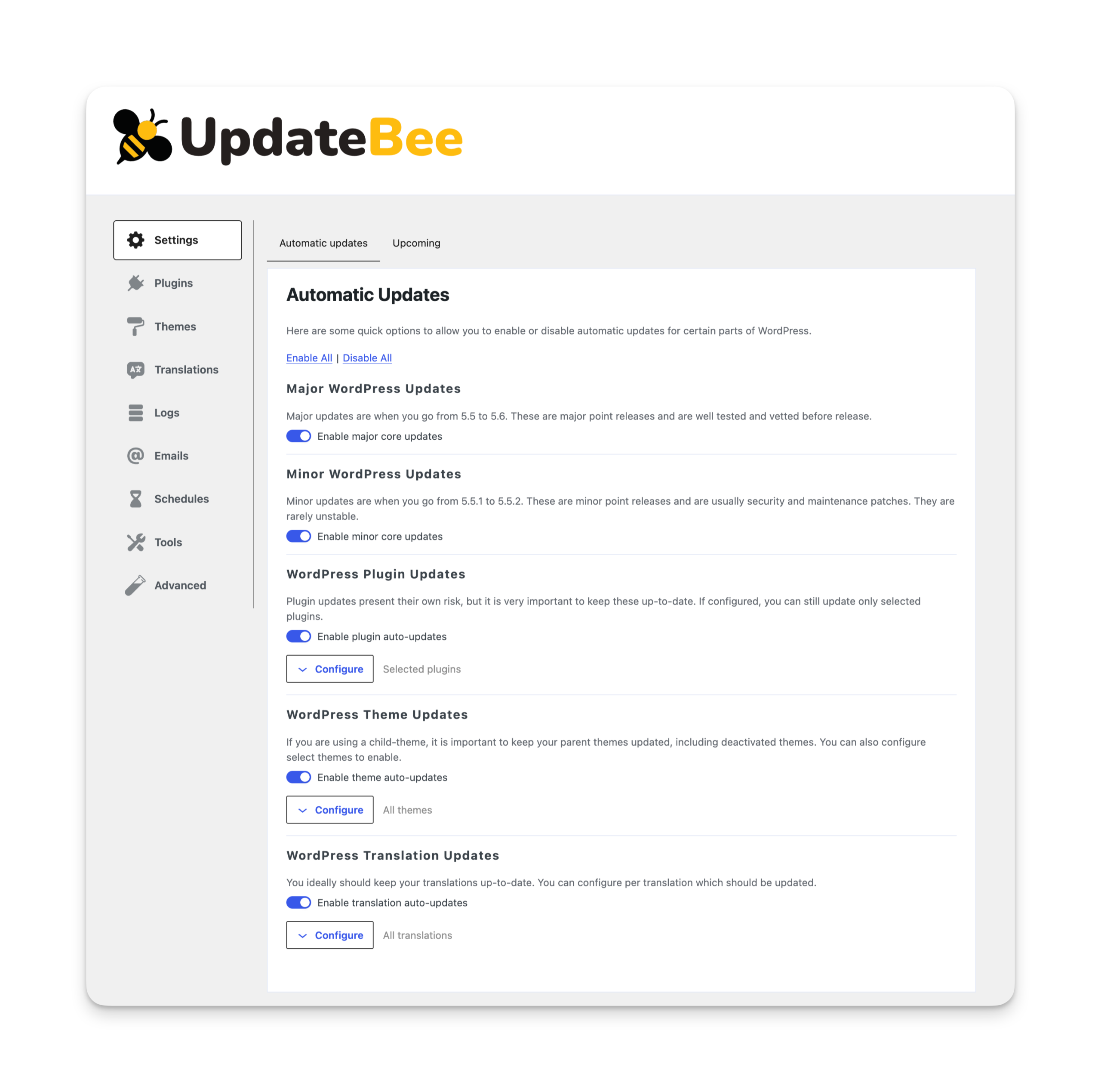
Update What You Want, When You Want
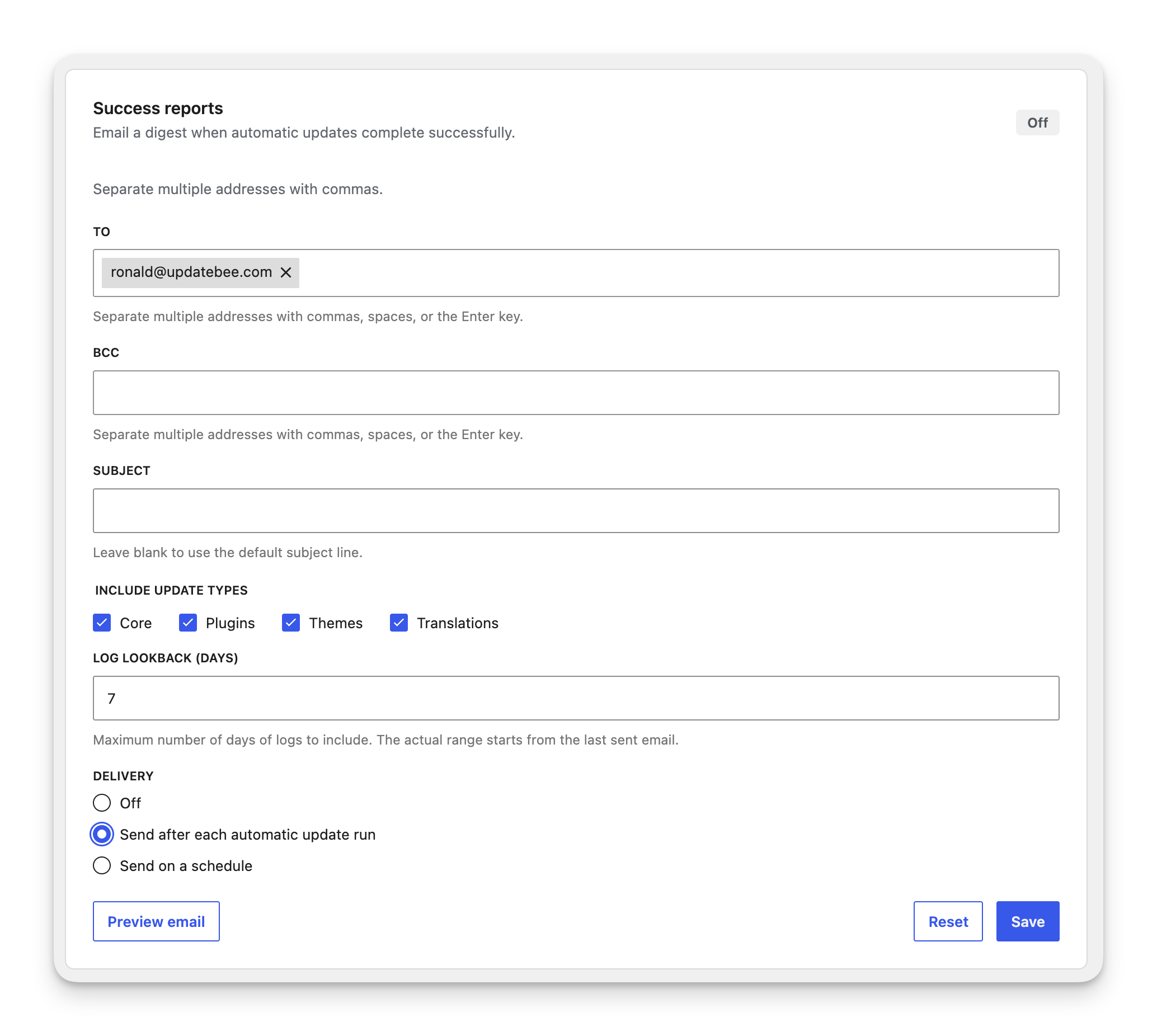
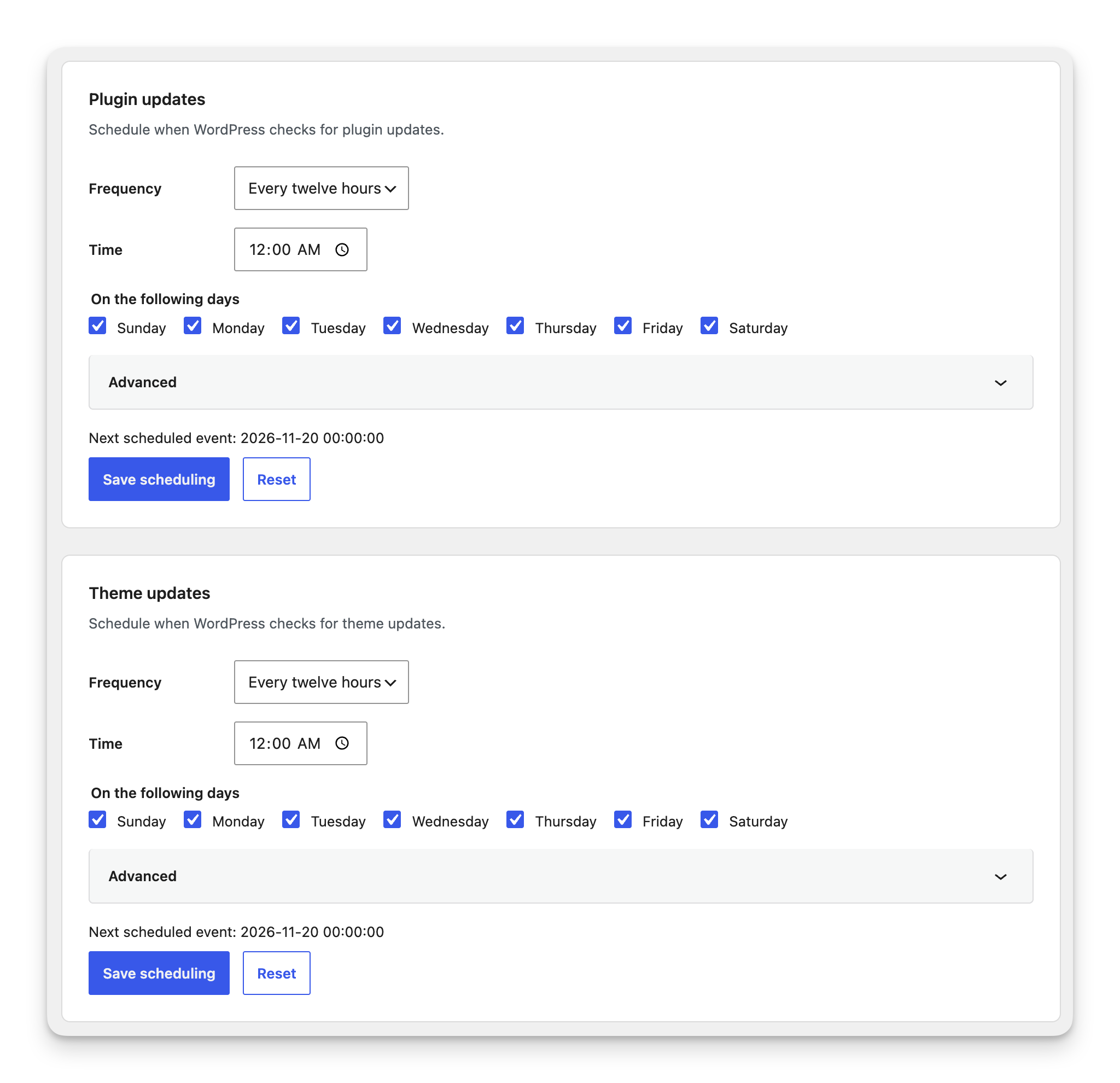
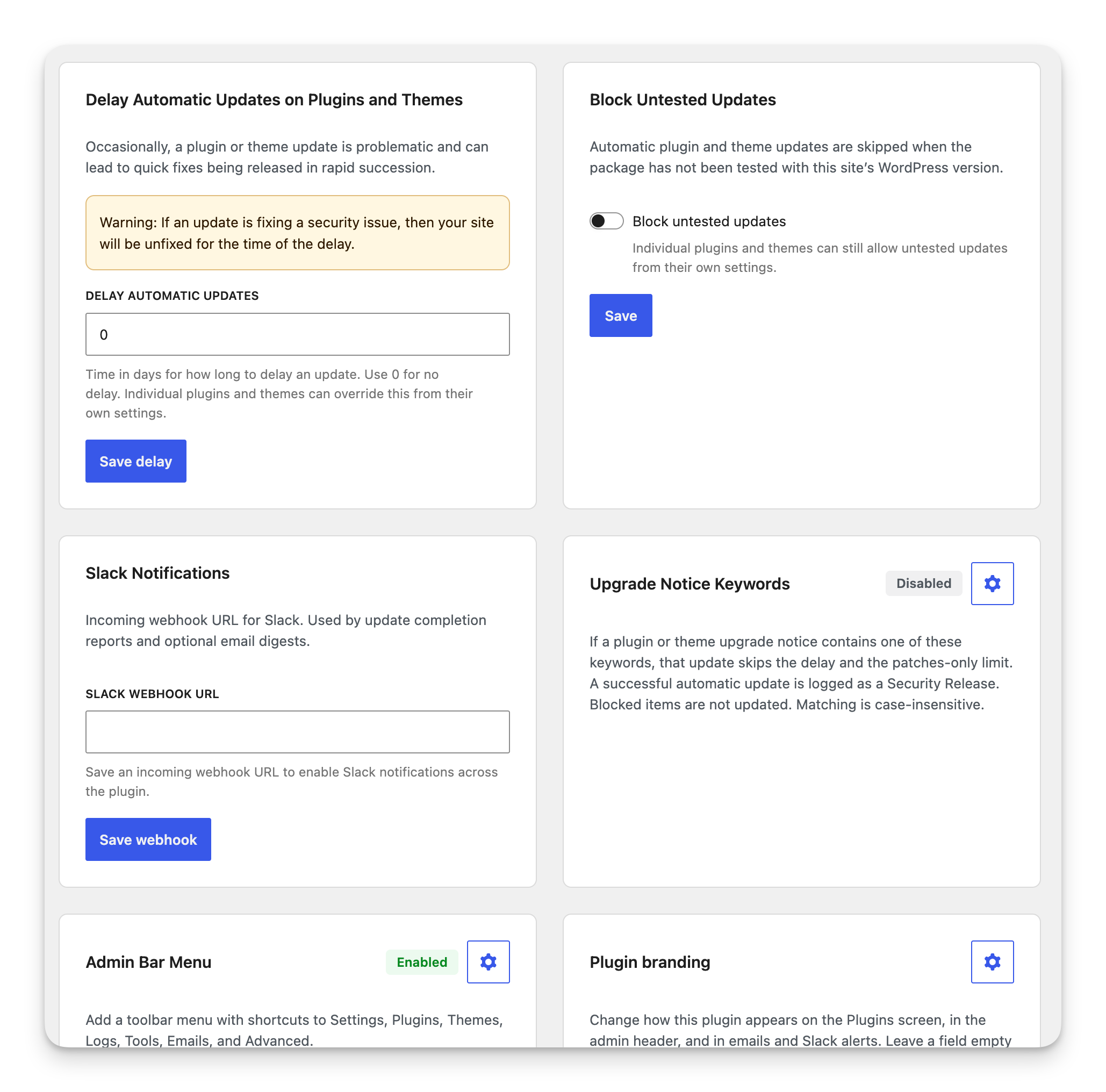
Update What You Want, When You Want
Set updates on your schedule, and receive detailed reports on all your updates.
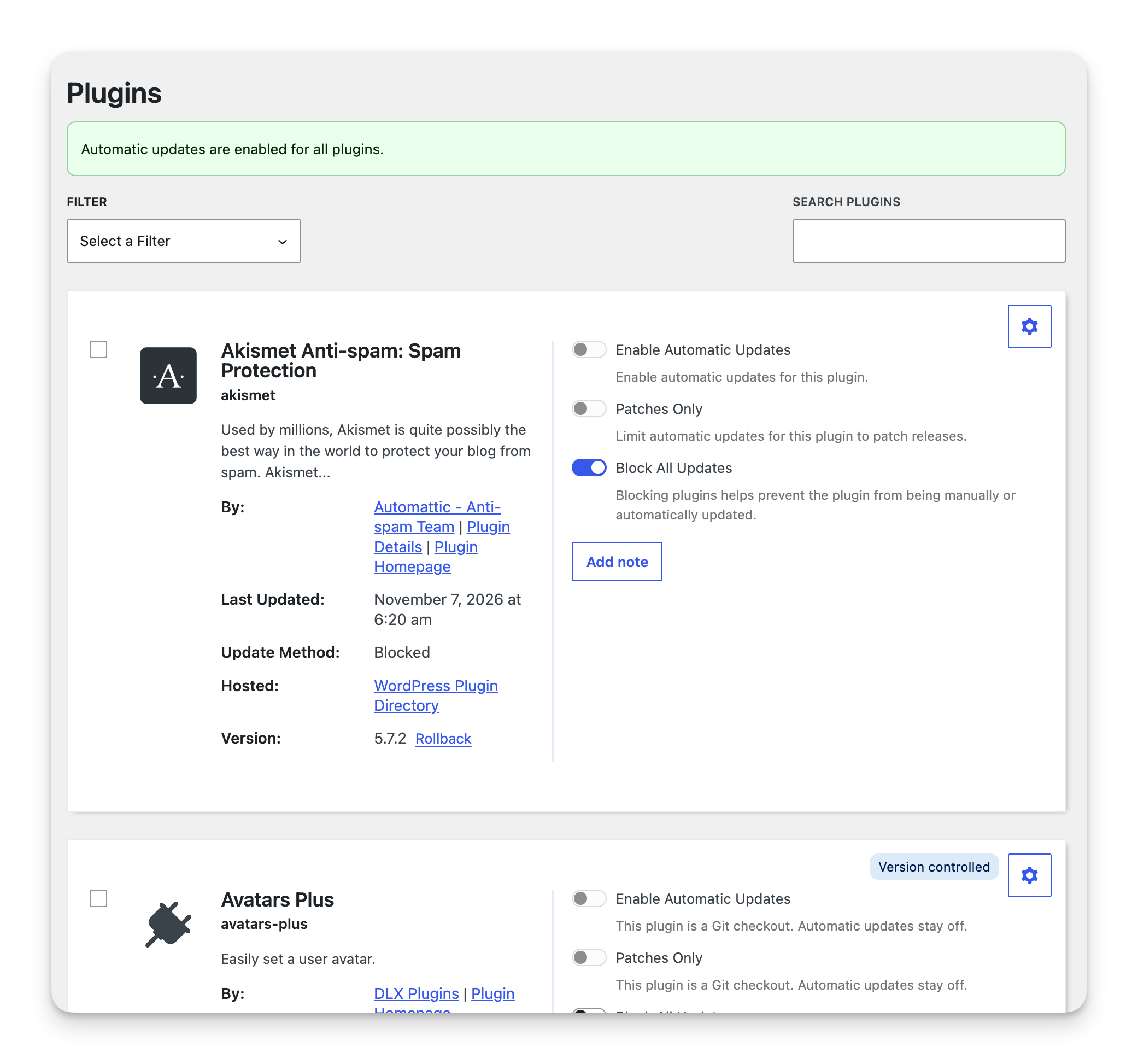
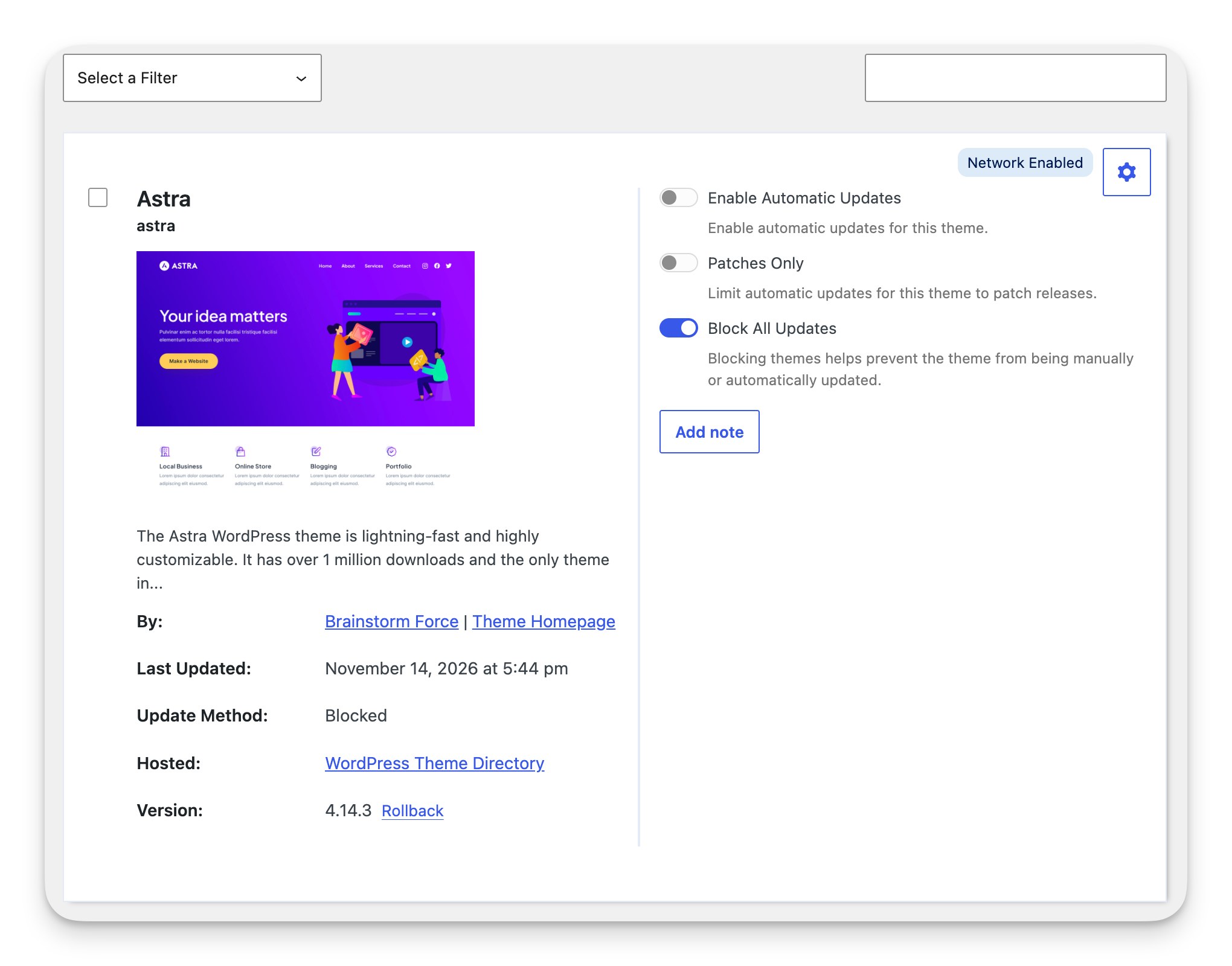
Control what gets updated.
Give individual plugins, themes, translations, and WordPress Core the attention they deserve. Set automatic update policies and make exceptions where needed.
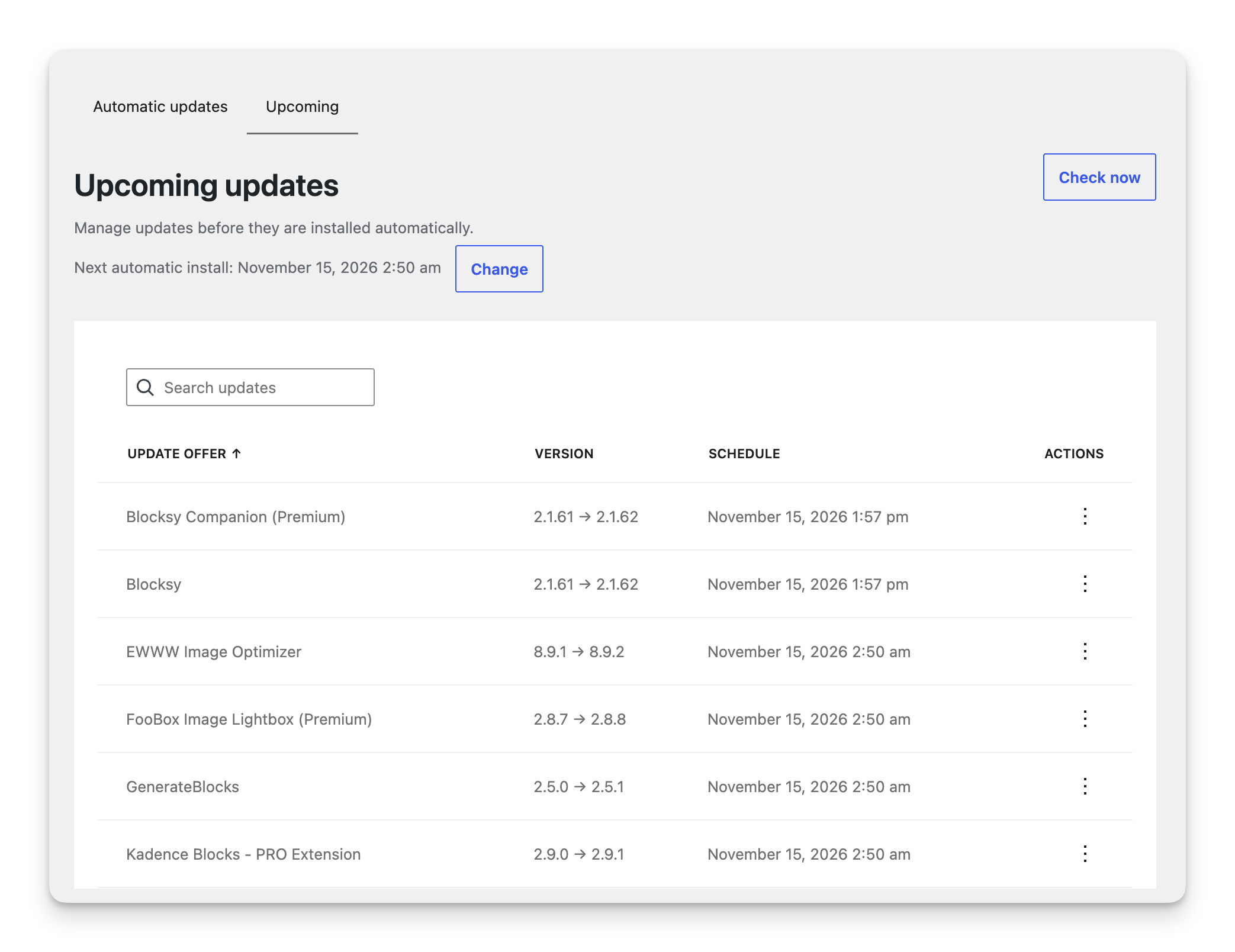
Know what’s coming
Detailed email reports and Slack notifications keep you in the loop so there are no surprises.
Know what happened
Receive detailed reports on automatic upgrades as they happen, and check the logs for more fine-tuning.
Testimonials

Ron builds quality products. So, when he told me that he built a new auto-updater plugin, I had to try it out.
Although WordPress lets you turn on Auto Updates, it is limited. And if you want more configuration, UpdateBee comes buzzing by.
It’s perfect for devs managing client sites or people who want to set it up and not think about it. That’s why I have it running on demo.webberzone.com, where I don’t want to keep checking for updates manually.
It’s easy to use. I prefer going into Settings and hitting “Enable All,” but you have a lot of customizations. You can also receive failure and success emails to multiple email addresses.

An Open Source Pro Update Plugin From an Experienced Upgrade Developer
The code for UpdateBee is freely available (and changeable) on GitHub, and you can purchase it. Creator Ronald Huereca has extensive experience with WordPress upgrades and helped contribute to WordPress Automatic Updates in WordPress Core (version 5.5). You can download the software for free; you only pay for a license for ongoing updates, support, and feature development.

Why Choose UpdateBee to Handle Your Updates
UpdateBee brings advanced automatic updates to WordPress with features that are hard to match.
Automatic Updates
WordPress Core
Yes
UpdateBee
Yes
Individual Updates Control
WordPress Core
Yes
UpdateBee
Yes
Reports and Schedule Management
WordPress Core
Limited
UpdateBee
Advanced
WordPress Core doesn’t keep logs, but it does send email alerts for completed auto-updates. Cron schedules can be managed via third-party plugins.
Skip and Delay Updates Capability
WordPress Core
None
UpdateBee
Advanced
UpdateBee lets you delay, skip, and block individual plugin and theme updates, while Core auto-updates are either enabled or disabled.
Central Update History
WordPress Core
None
UpdateBee
Via Advanced Logs and Reporting
UpdateBee stores detailed logs, lets you turn off Core emails (there can be a lot), and can also alert you via Slack. For example, successful automatic updates can go straight to a client’s inbox, while failures can go to a developer account for triaging.
UpdateBee Can Be Your Update Solution
UpdateBee brings advanced logs, email and Slack reports, and advanced scheduling capabilities.
For Developers and Maintainers
Control what updates happen, when, and receive advanced reports on what has updated without overloading your inbox. Schedule success and failure reports separately, and send updates into Slack via a webhook.
For Agencies
This plugin is Multisite-first and friendly, with import and export controls you can manage easily from site to site. The admin can be rebranded to match your agency name, all in an easy-to-understand interface with powerful tools and options.
For Website Owners
Keep essential updates moving without constantly monitoring the dashboard. Email and Slack integration keeps you up to date without constant updates and checking what worked and what didn’t.
For Business Sites
Take extra care with updates that might affect important website functionality, such as security upgrades. Add delays to updates for developers constantly releasing patches, and set keywords to trigger security updates automatically, skipping the queue.
UpdateBee is a Pro plugin with an open-source codebase. Purchase today to enable updates and support future development.
Frequently Asked Questions
UpdateBee is a fork of Easy Updates Manager that builds on its established update management features while introducing new capabilities and improving existing ones.
UpdateBee offers enhanced automatic update scheduling, expanded email reports, and advanced security controls that can prioritize important updates even when update delays are enabled.
It also includes version skipping and built-in rollback functionality, giving you more control over which updates are installed and making it easier to return to a previous version without installing additional plugins.
UpdateBee can be a replacement for the following plugins:
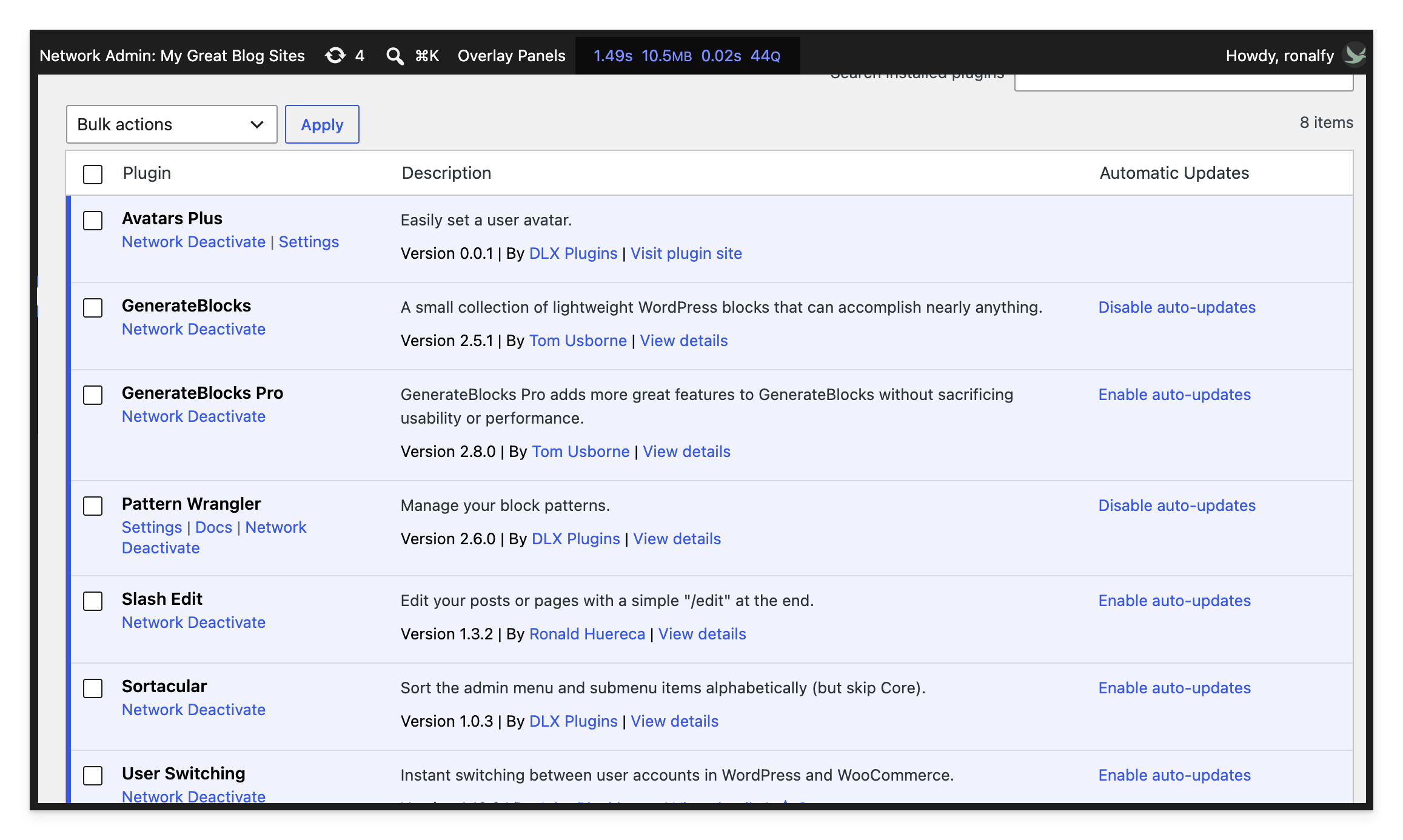
WordPress provides basic automatic updates for plugins, themes, and WordPress core. However, these controls offer limited flexibility over when updates happen and how individual versions are handled.
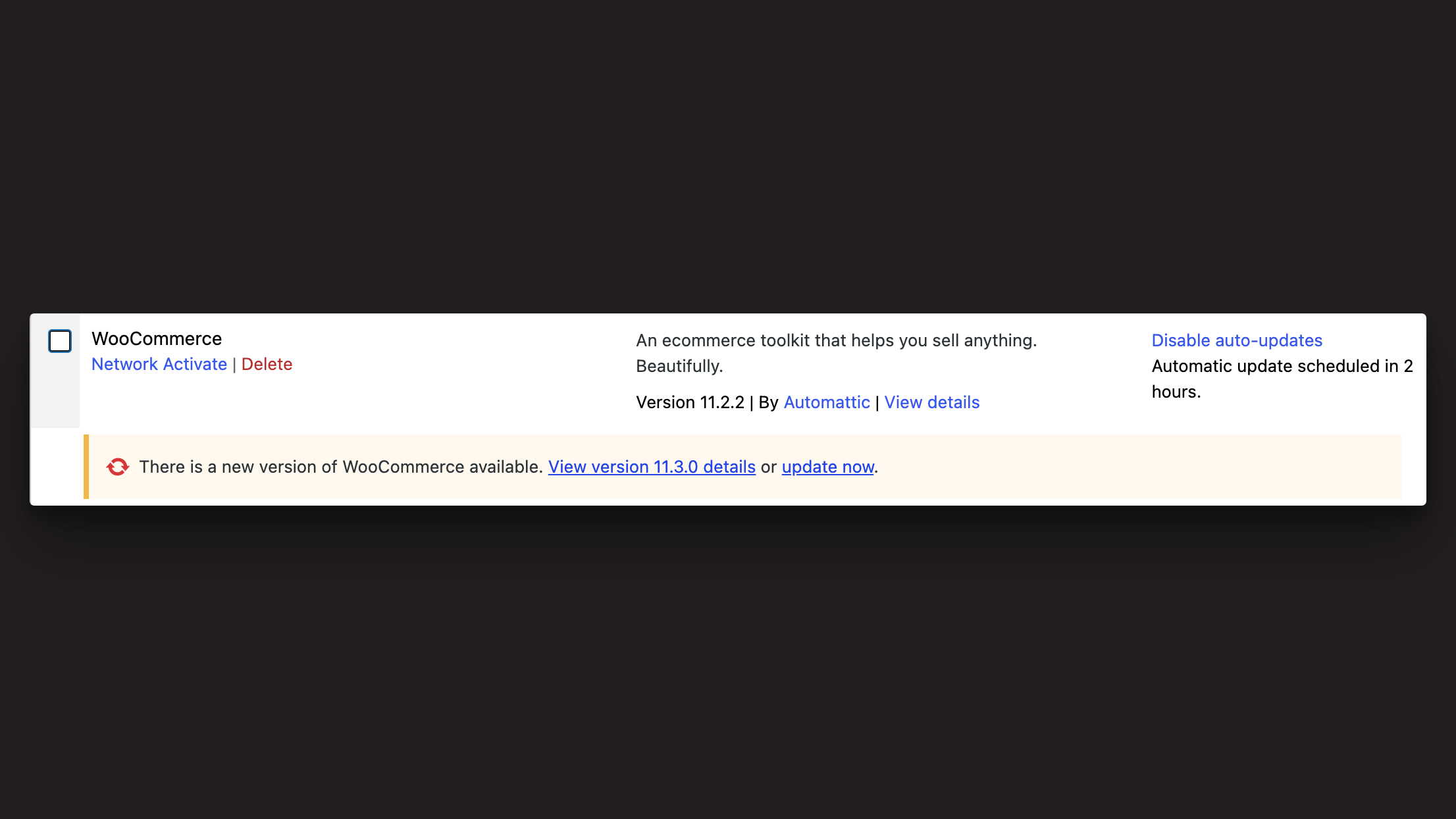
UpdateBee extends these capabilities with customizable scheduling, update delays, security priorities, version skipping, detailed logging, and rollback options.
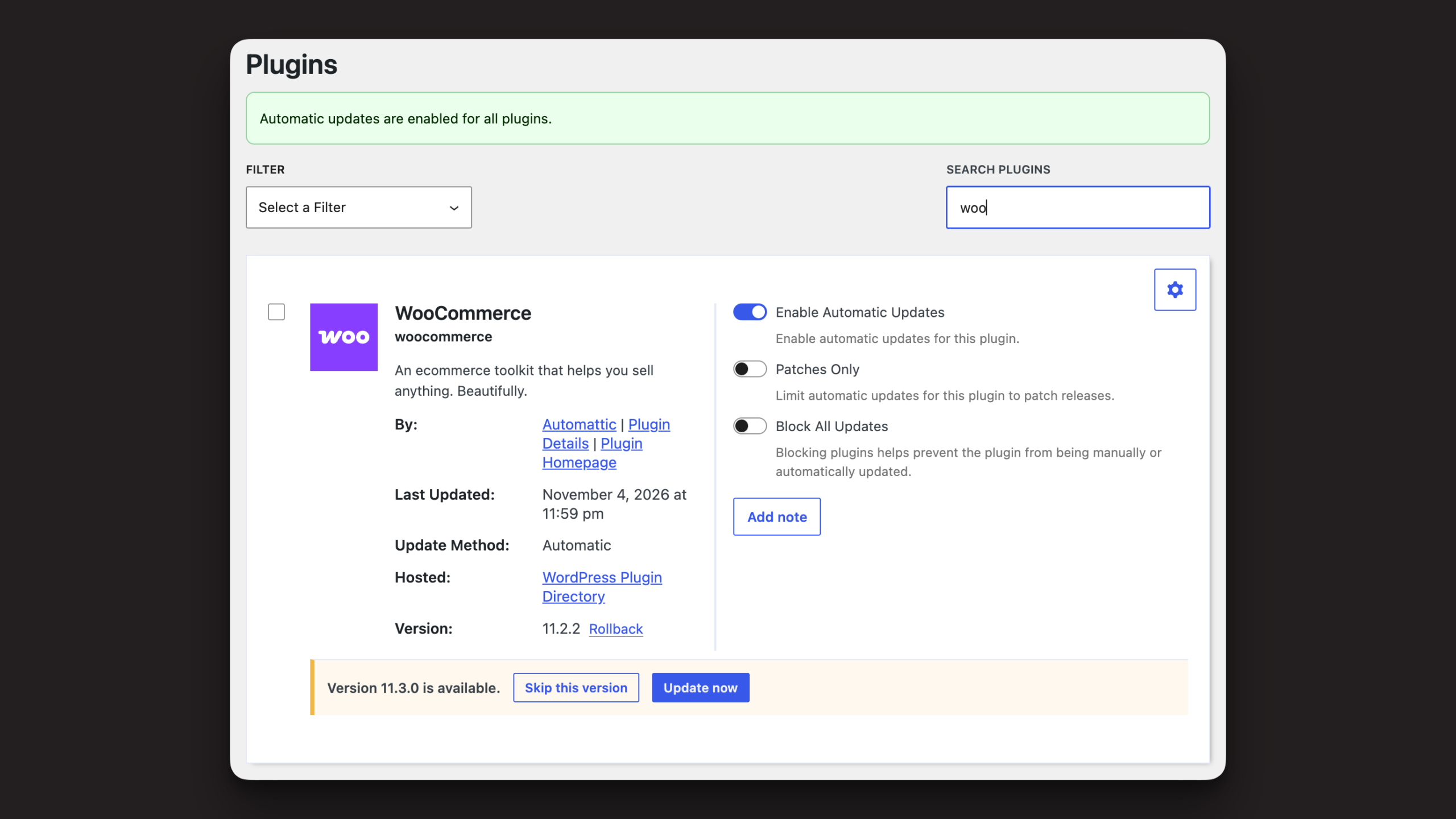
You decide how updates are managed instead of relying entirely on WordPress’s default behavior.
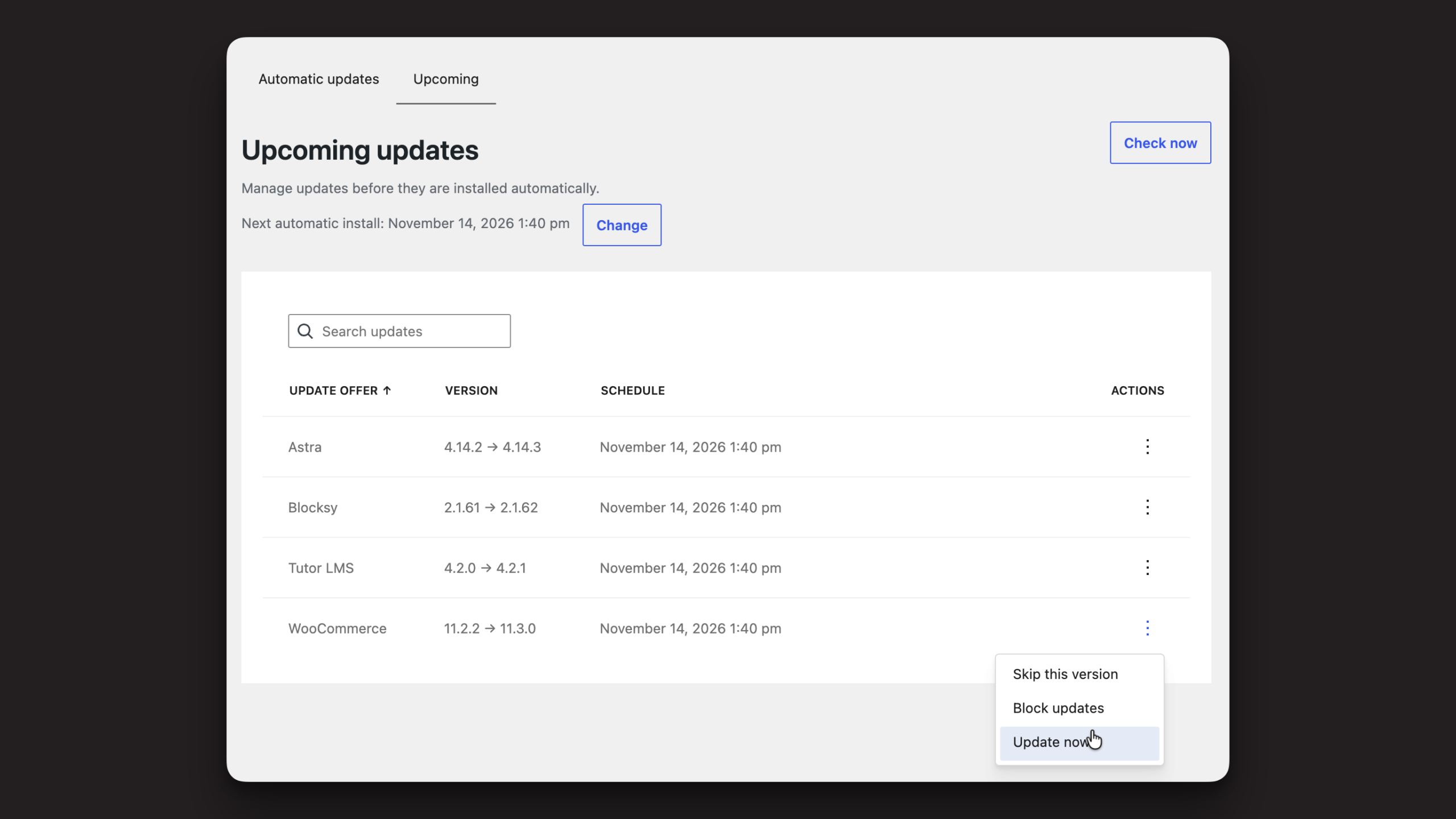
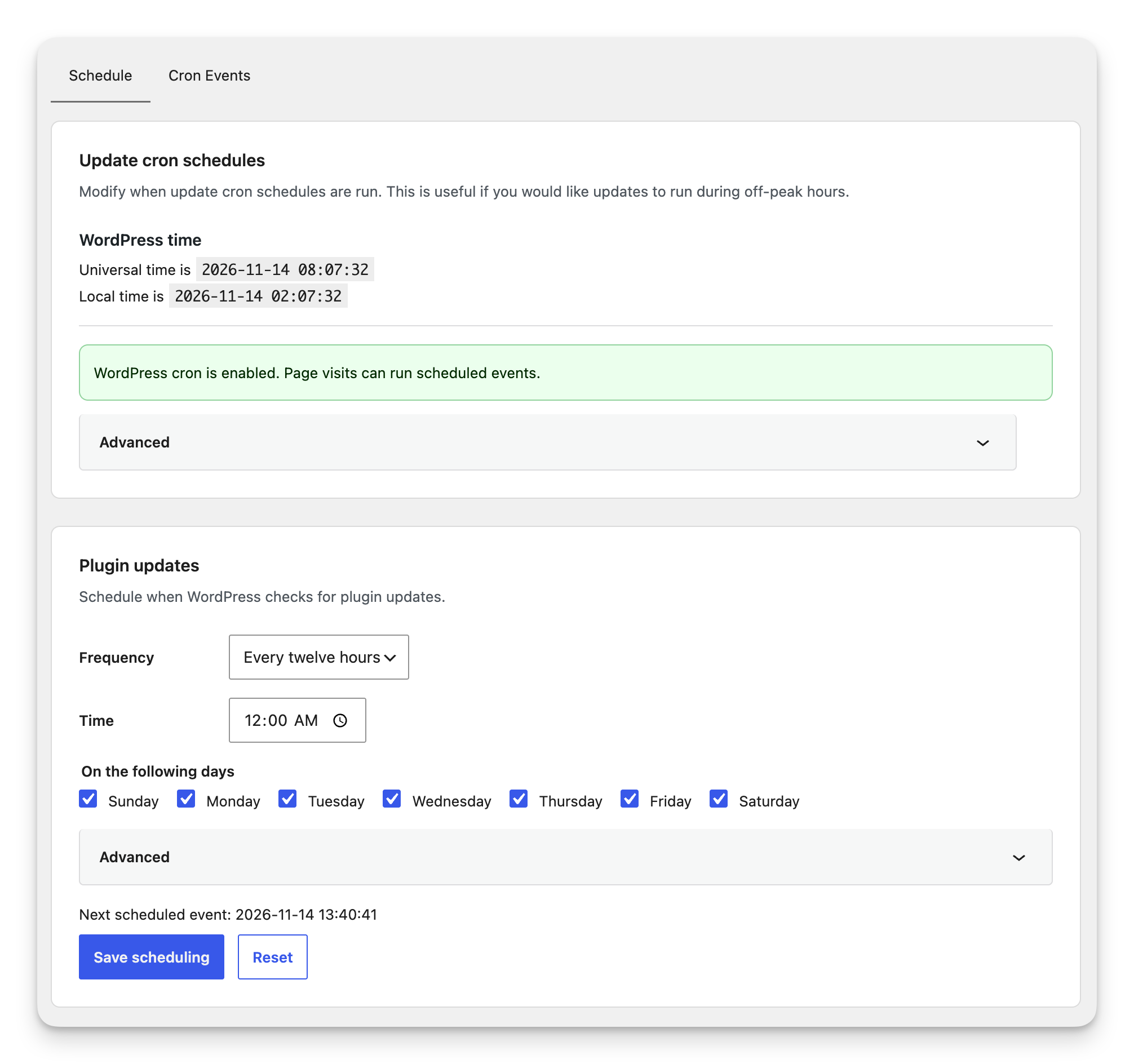
Yes. UpdateBee includes an automatic update scheduler that gives you greater control over when WordPress performs updates.
This allows you to plan updates around your website’s activity rather than leaving everything to WordPress’s default automatic update schedule. A built-in cron scheduler shows what’s in the queue and lets you modify it.
Yes. UpdateBee allows you to delay automatic updates, giving developers time to release fixes for potential issues in newly published versions.
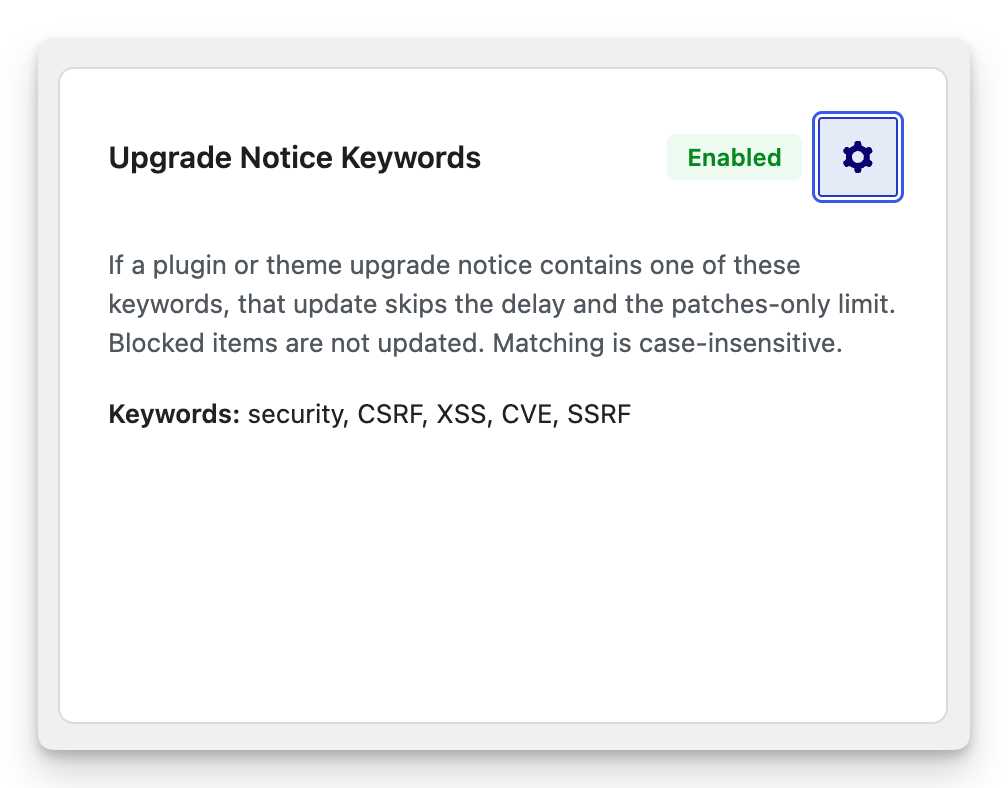
However, some updates are too important to postpone. UpdateBee’s security prioritization features can allow important security updates to proceed even when a delay is active.
This works by scanning keywords in a developer’s upgrade notice; if a match is found, the update is allowed to proceed without delay.
Yes. If you know a particular version has a bug or compatibility issue, UpdateBee allows you to skip that version.
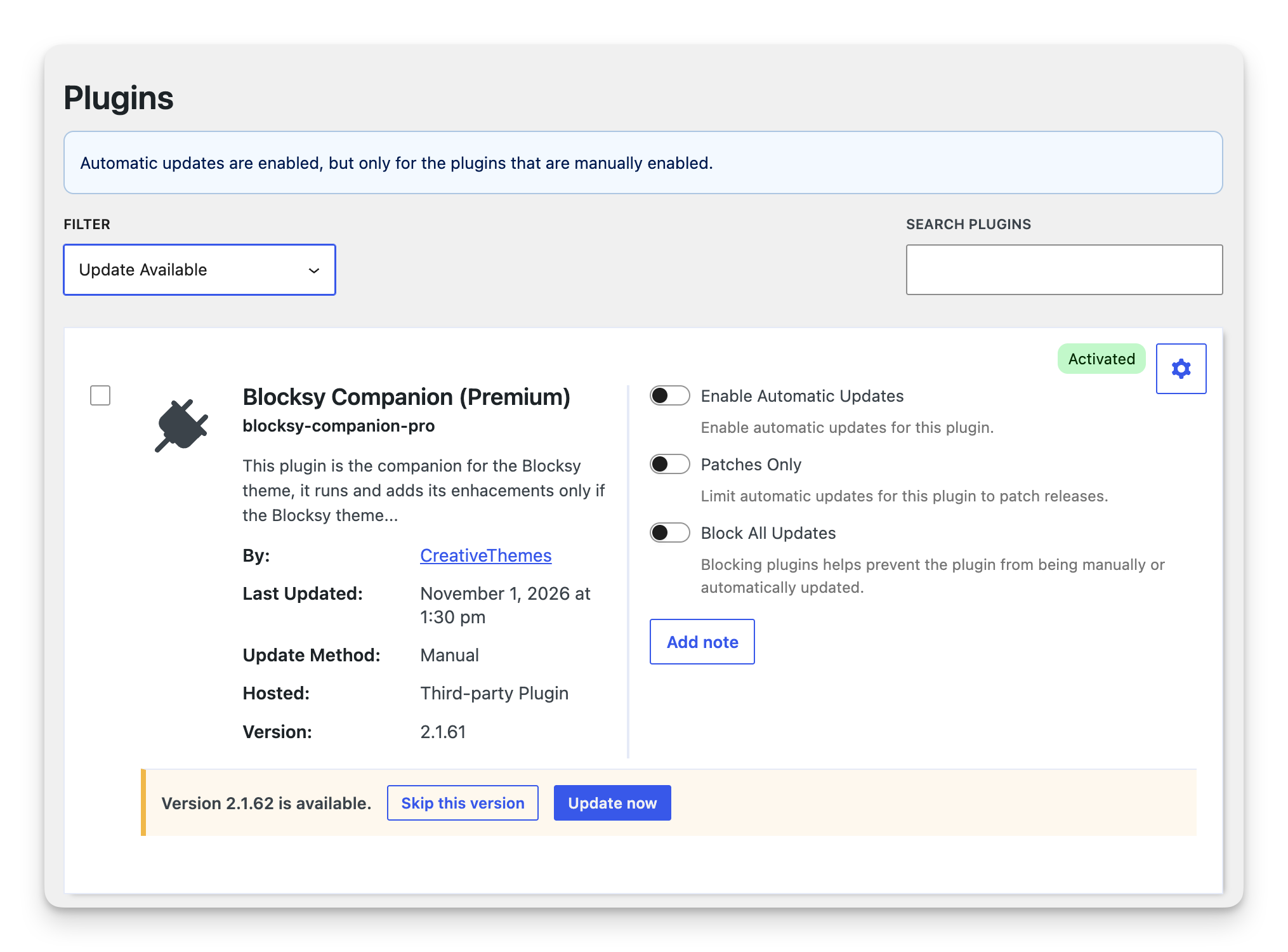
This gives you the flexibility to avoid a problematic release without permanently turning off automatic updates for that plugin or theme.
Yes. UpdateBee includes built-in rollback functionality that allows you to return supported plugins or themes to a previous available version. This only works for plugins hosted on WordPress.org.
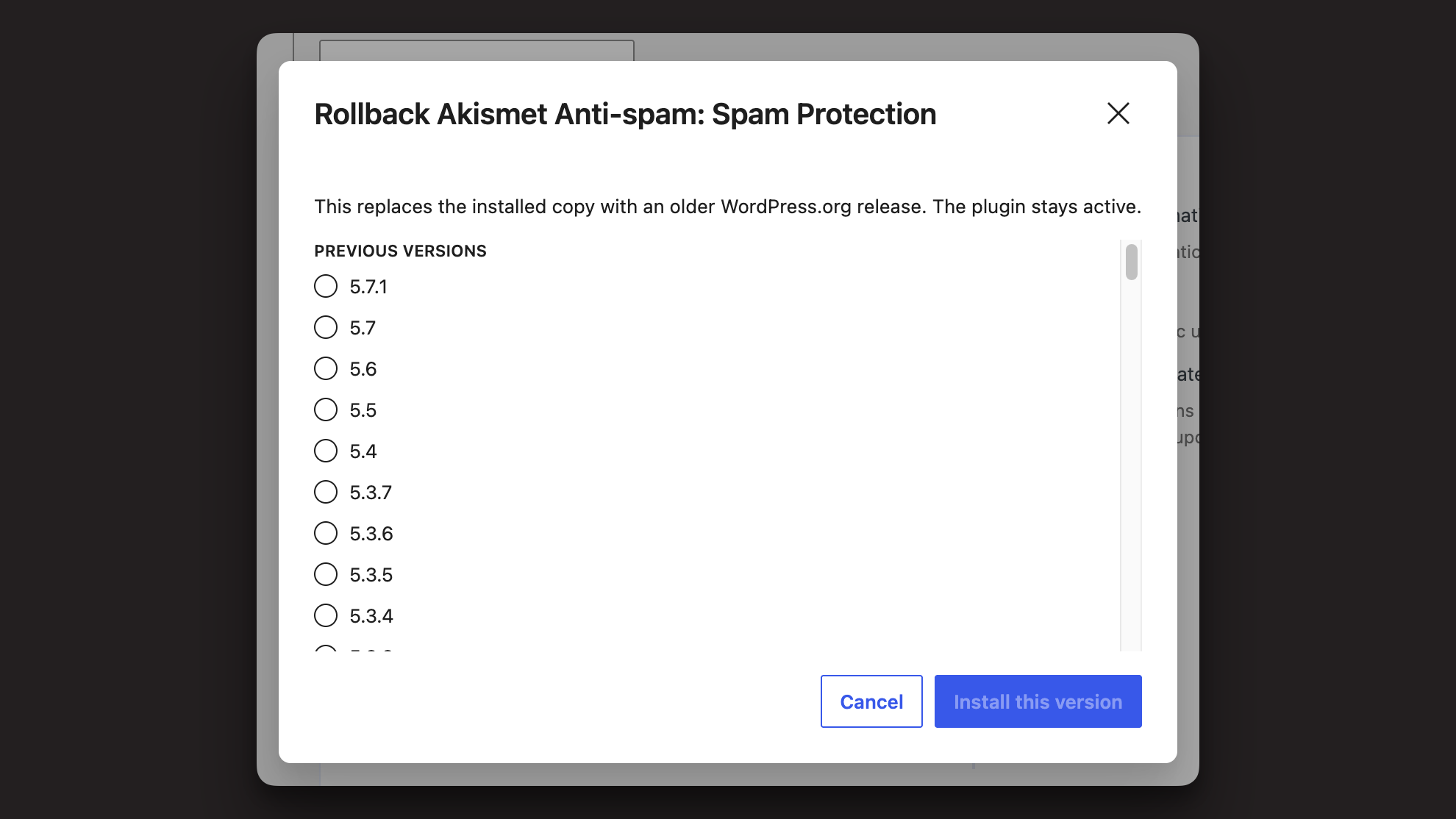
This eliminates the need to install a separate rollback plugin for supported updates.
We still recommend maintaining regular website backups, particularly before major updates. Rollbacks cannot guarantee recovery from every compatibility issue or database change.
Absolutely. UpdateBee gives you individual control over automatic updates for plugins and themes.
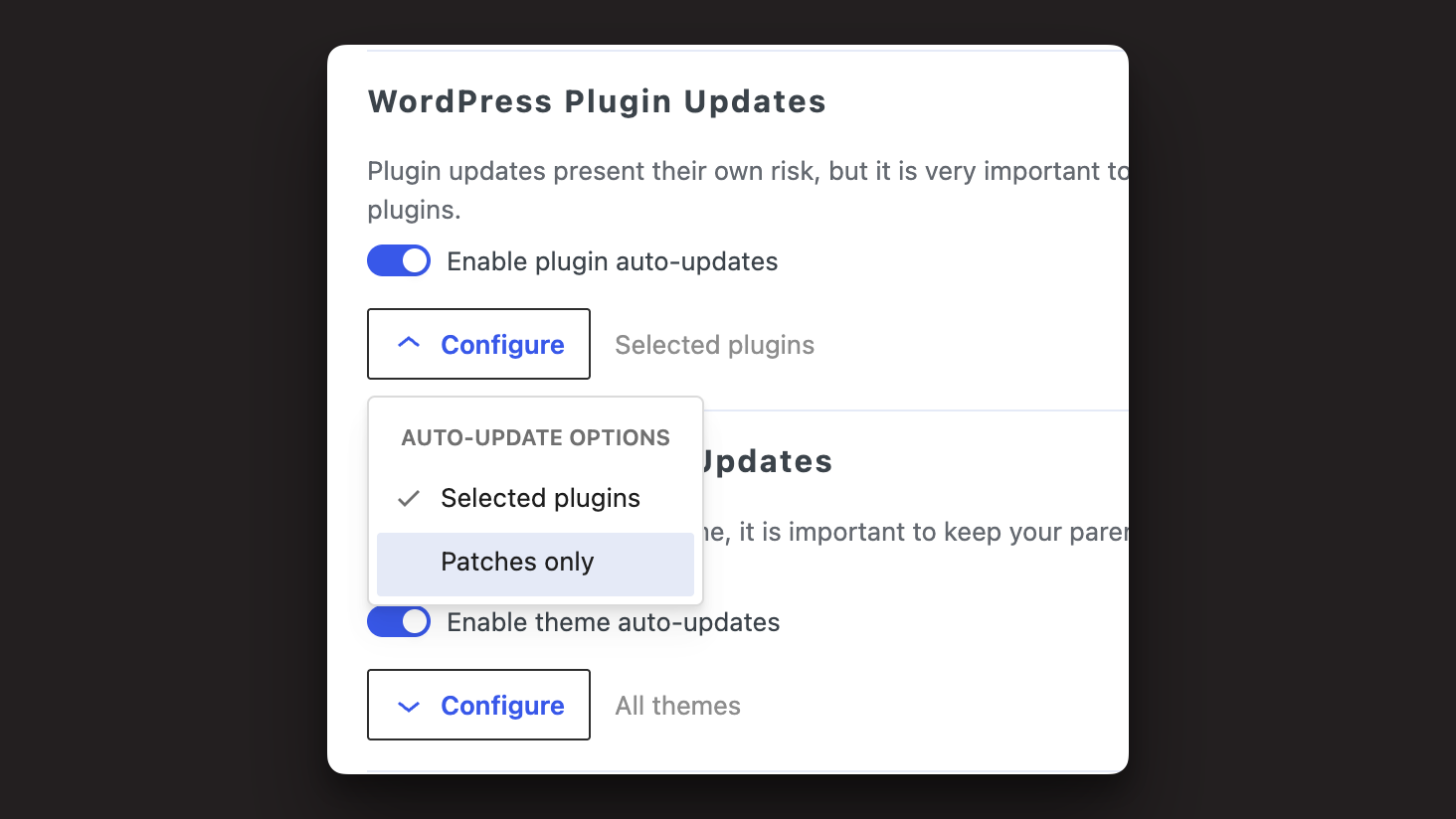
You can allow some extensions to update automatically while requiring manual intervention for others.
This is especially useful for websites that depend on critical plugins or custom functionality that you don’t want overwritten.
Yes. UpdateBee includes update logging to help you see what was updated and when.
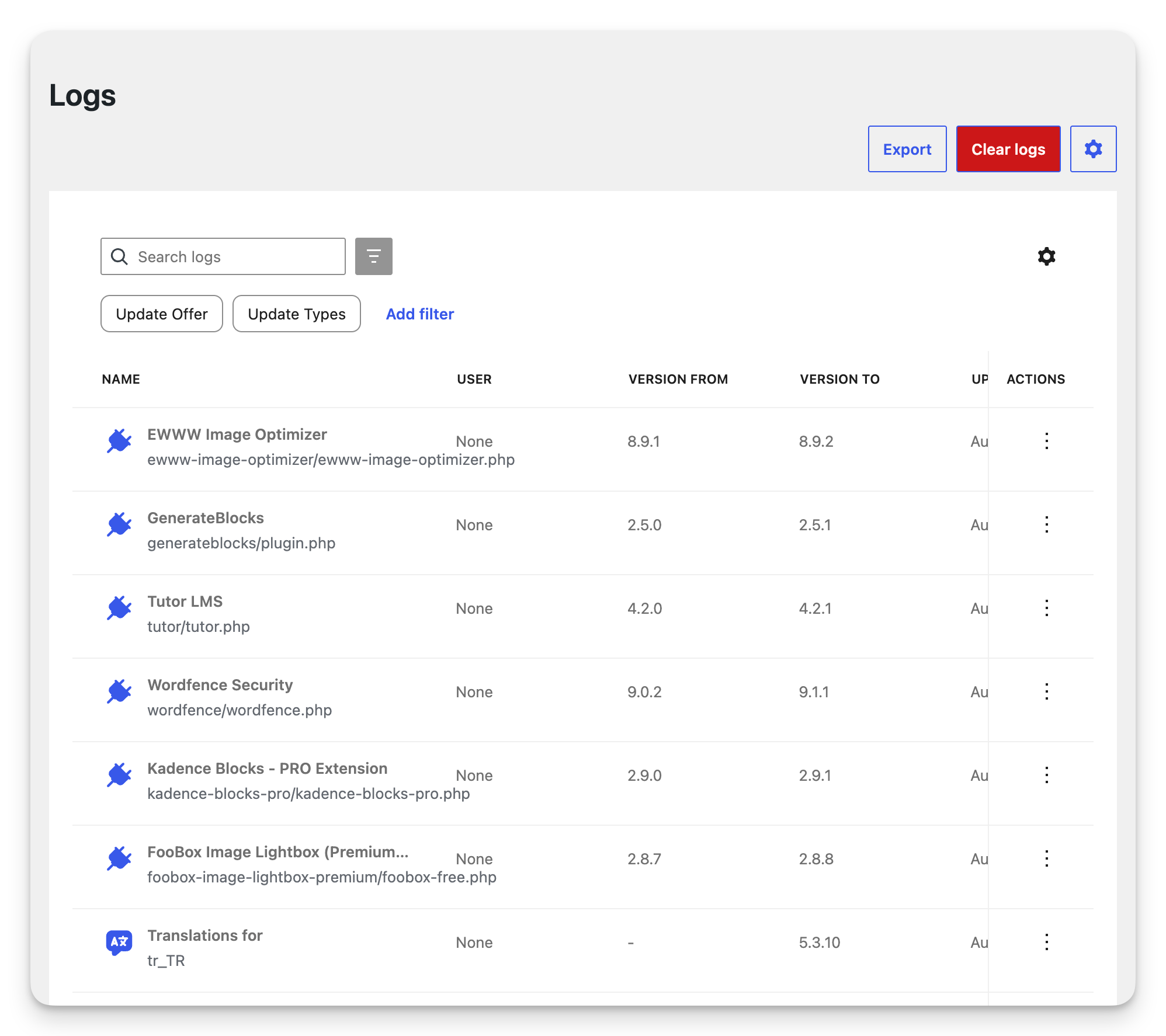
Update history can be particularly helpful when troubleshooting compatibility problems, investigating unexpected behavior, or reviewing website maintenance activity.
Yes. UpdateBee provides configurable email reporting to help you stay informed about WordPress updates without constantly checking your dashboard.
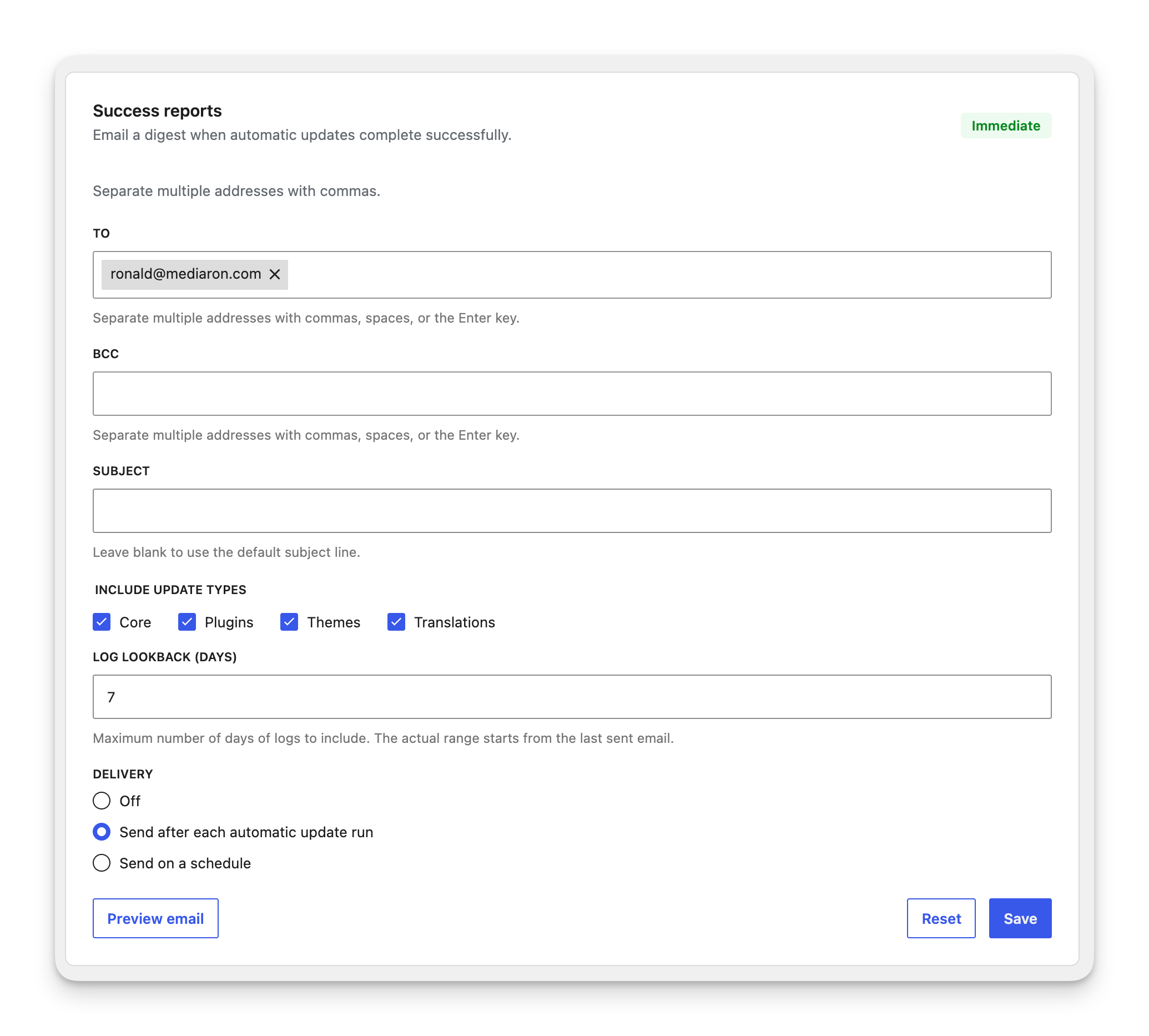
Its expanded reporting capabilities give you additional visibility into update activity and help you keep track of the maintenance happening on your website.
No. UpdateBee is an independently developed fork of Easy Updates Manager.
UpdateBee’s developer, Ronald Huereca, originally developed and sold Easy Updates Manager to UpdraftPlus, and helped bring automatic updates to WordPress Core in version 5.5.
It builds on the original plugin’s open-source foundation while following its own development direction, introducing new features, and improving the update management experience.
UpdateBee is not affiliated with or endorsed by the developers of Easy Updates Manager or UpdraftPlus.
UpdateBee is a Pro plugin that relies on purchases to stay in business (see pricing) and to provide updates and support to others. However, the plugin’s code is Open Source, and its source code is freely available on GitHub. You can view the download, raise an issue, and download the software using the GitHub card below.
WordPress.org no longer accepts update plugins per its guidelines. The plugin is freely available on GitHub, so you can inspect the code and download the software to evaluate it at no cost. However, we ask that you eventually purchase a license (see pricing).
Yes, please see pricing. Lifetime licenses will be offered for the first 100 customers. After that, only an annual license will be available at a reasonable price.
Yes, use coupon code LAUNCH to get $20 off an annual license. This brings the total down to $39 for 100 sites. The discounted price will remain valid as long as you stay subscribed. This is limited to the first 50 customers. Limit 1 per customer.
Lifetime licenses aren’t discounted.
Yes, please see our refund policy.
You can report security bugs through the Patchstack Vulnerability Disclosure Program. The Patchstack team help validate, triage and handle any security vulnerabilities. Report a security vulnerability.