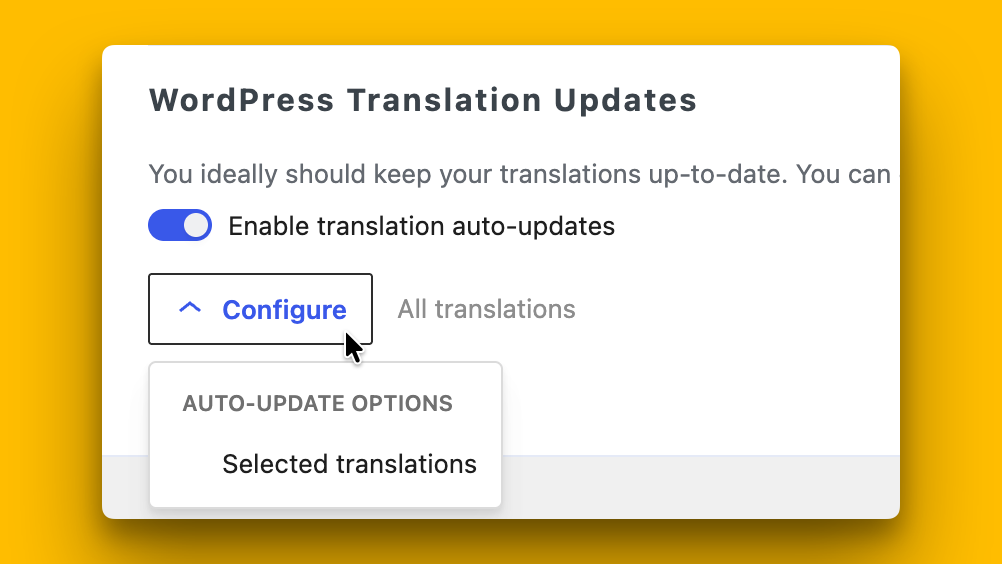
You can enable or disable automatic updates for translations under the main Settings screen. You can also keep automatic updates enabled while setting a configuration to only update select translations. If translation auto-updates are off, you can also block all translations from updating by opening the Configure dropdown.
Translation Update Settings on the Main Settings Screen
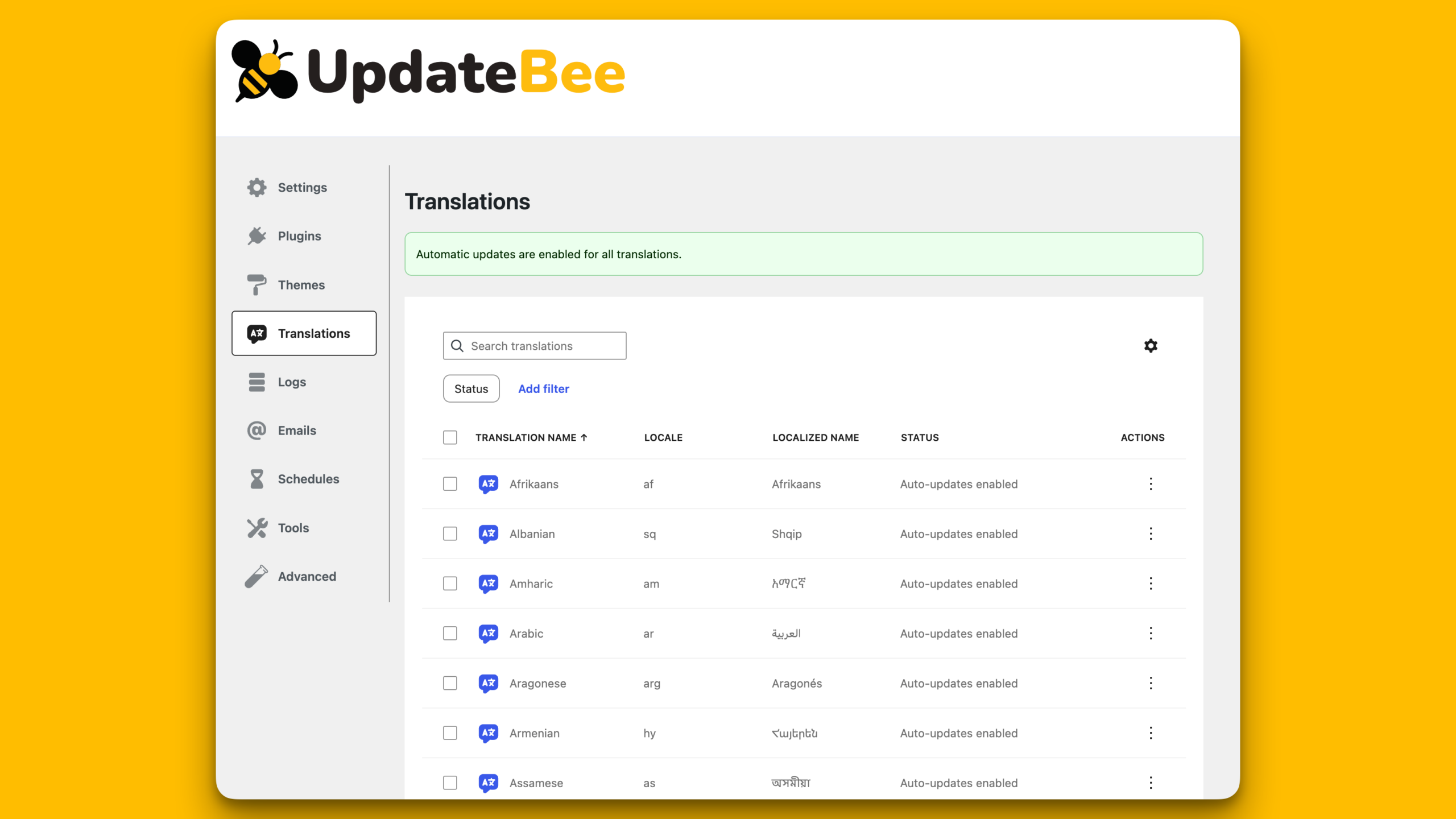
Translations are its own tab item, where you can bulk-select which translations are updated.
Translations Tab in UpdateBee’s Settings
Each language is its own row because WordPress decides translation auto-updates one language at a time. UpdateBee follows that and stores an allow list and a block list by locale, such as da_DK.
The group policy is still on Settings → Automatic updates, under Enable translation auto-updates and Configure.
What the list contains
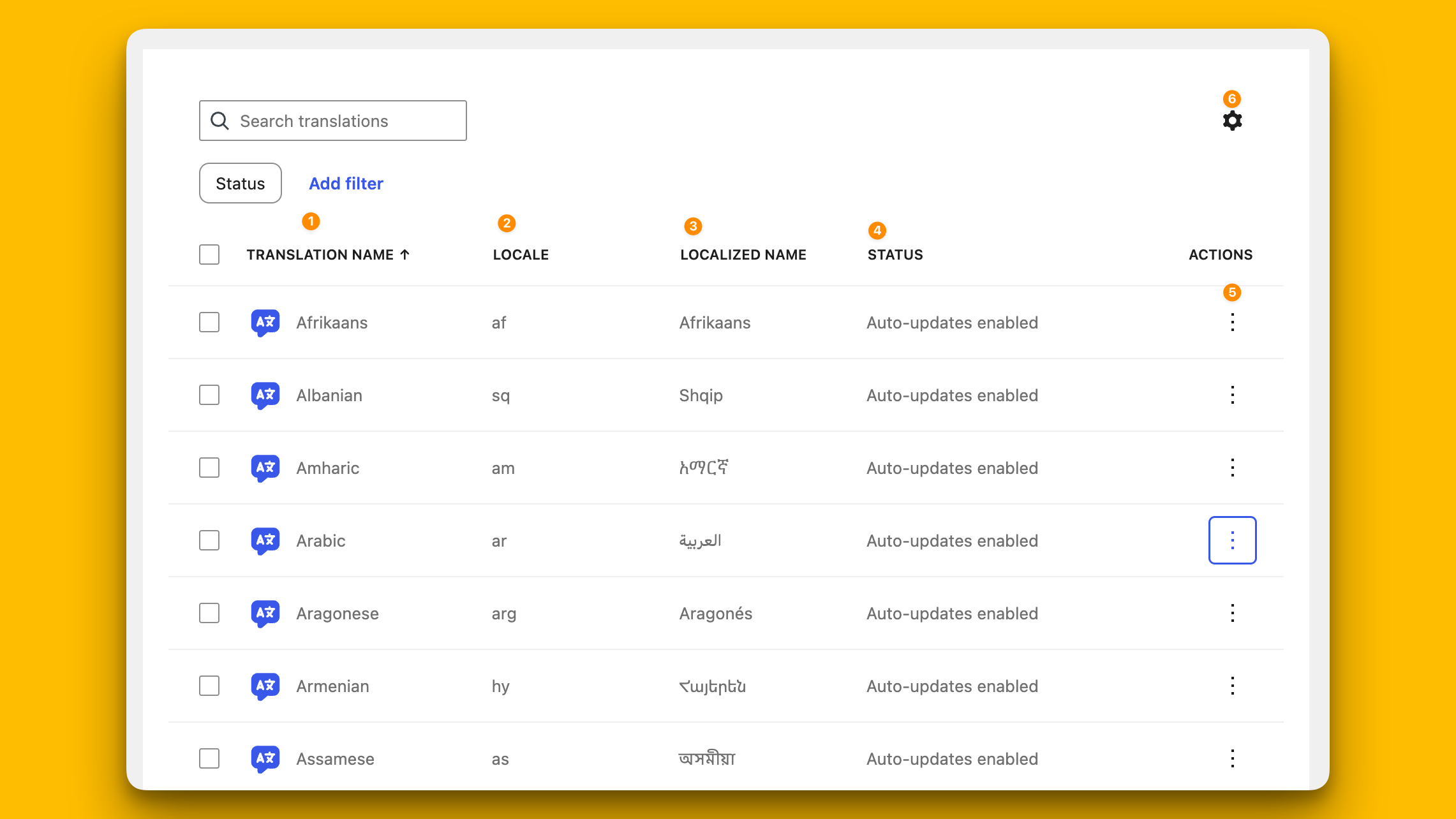
Open Translations. UpdateBee lists every locale from the WordPress.org translation catalog. Each row is keyed by its locale and shows:
Translations Table
Translation name, the English name
Locale, such as da_DK
Localized name, the native name
Status (e.g., auto updates enabled or disabled)
Action (block or unblock updates)
View Settings (modify the view settings for the table).
You are also able to search through available translations, which supports the translation name, locale, and localized name.
Screen modes
A notice at the top of the translations screen matches the Settings policy (see configuring auto updates):
Automatic updates are enabled for all translations: all translations are auto-updated unless disabled individually.
Automatic updates are enabled, but only for the translations that are manually enabled: custom mode where each translation update must be enabled individually.
All updates are blocked. You will no longer receive any translation updates and may be a security risk: all translation updates are blocked, and you won’t see them under Core’s updates section.
Automatic updates are disabled for all translations: auto-updates are disabled unless you enable it per locale.
Enable or block one locale
In custom mode, Enable automatic updates and Disable automatic updates apply to the selected locales. Those actions are available for locales that are not blocked.
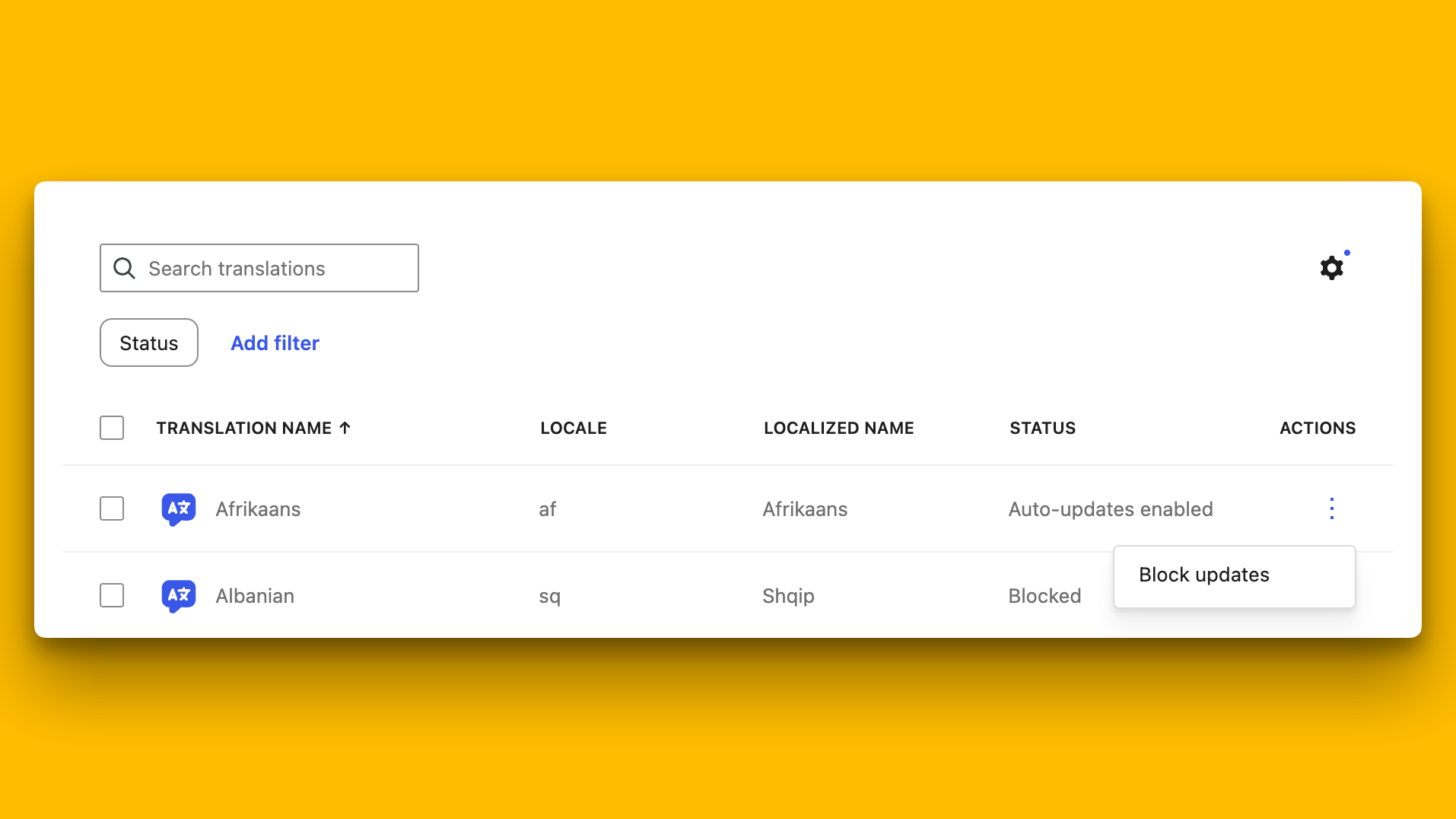
Blocking and Unblocking Individual Translation Updates
Block updates and Unblock updates apply to one locale or to the selection. They stay available while translation updates are not fully blocked. A blocked locale is hidden from the WordPress updater along with other blocked offers. See the article Blocked Updates.
Translations have no Patches only control. There is no patches-only checkbox under Configure for translations, and the row has no patches toggle.
Any updated translations will be saved in Logs. See the article Logs for more information.
Related Posts:
Upcoming Updates November 14, 2026 This article details what's available under Upcoming Updates, which you…
Set Up a Slack Webhook November 14, 2026 Setting up a Slack webhook will post updates to a…
Block Untested Updates November 14, 2026 Skip an update if the minimum WordPress Version isn't met.