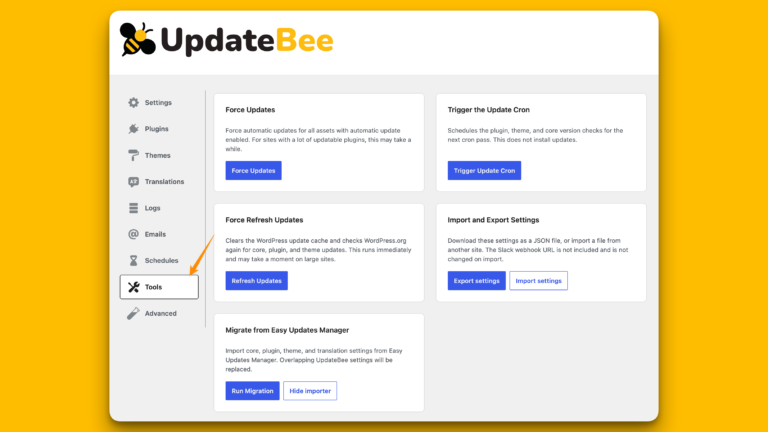
Tools has three cards that look similar and do different jobs. Force Updates installs updates that are already allowed. Trigger the Update Cron queues version checks. Force Refresh Updates reloads the list of available versions and installs nothing.
Open Tools from Tools → Automatic Updates on a single site, or from Settings → Automatic Updates in the network admin.
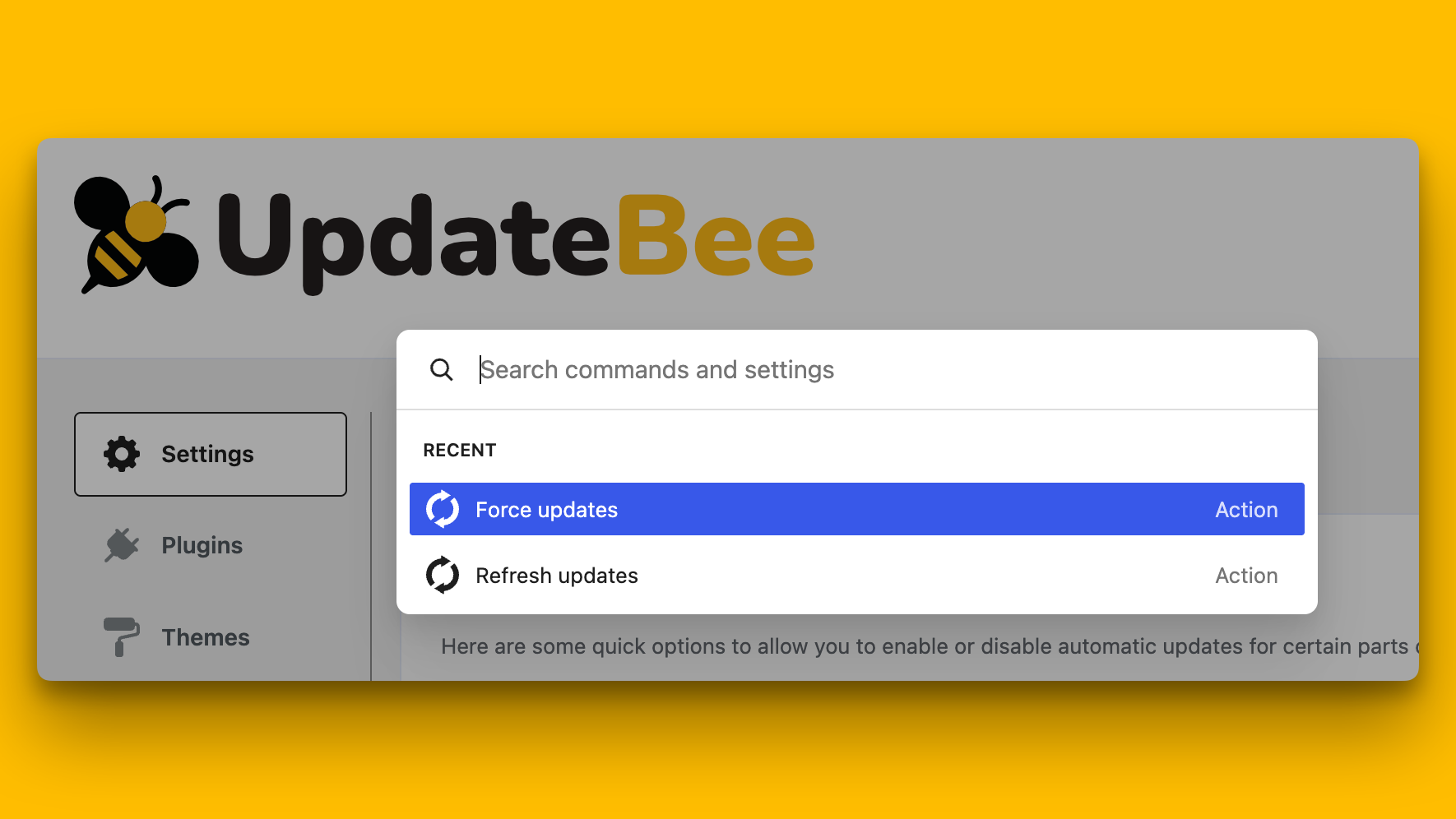
Force and Refresh Updates From the Command Palette
The same two install and refresh actions are in the WordPress command palette. From wp-admin, press Command+K on a Mac or Ctrl+K on Windows.
Force Updates
The card says: “Force automatic updates for all assets with automatic update enabled. For sites with a lot of updatable plugins, this may take a while.”
Select Force Updates. The confirmation title is Force updates.
The warning says: “A backup is recommended before forcing updates.”
The body says: “This runs automatic updates now for core, plugins, themes, and translations that are allowed to update.”
When a delay is configured, the checkbox is Skip the update delay. The help text says: “Plugins and themes that are still waiting will update on this run.” Leave it unchecked to keep the delay for this run. How the delay is set is in the article Delay Updates.
Cancel closes the modal. Force updates starts the run.
The command palette lists this as Force updates. Searching for “Force plugin, theme, and core updates” finds the same command, and it opens this confirmation.
Trigger the Update Cron
The card says: “Schedules the plugin, theme, and core version checks for the next cron pass. This does not install updates.”
Select Trigger Update Cron. The card states that this does not install updates.
Force Refresh Updates
The card says: “Clears the WordPress update cache and checks WordPress.org again for core, plugin, and theme updates. This runs immediately and may take a moment on large sites.”
Select Refresh Updates.
The command palette label is Refresh updates. The search label is Refresh plugin, theme, and core updates.
Check now on Settings → Upcoming calls the same refresh. It reloads the upcoming list and does not install updates. See the article Upcoming Updates.