UpdateBee leaves plugins and themes that another tool already owns on their current install path. It detects Composer, Git, Subversion, and Mercurial. Composer is detected from Composer installed.json manifests. Git, Subversion, and Mercurial are detected from a checkout marker inside that plugin or theme directory. A checkout of the whole site, above that directory, is ignored. When a directory is both a Composer install and a checkout, Composer is the label UpdateBee uses.
Update those packages with the tool that installed them. This is one of the setups in the article Common Use Cases.
What the row shows
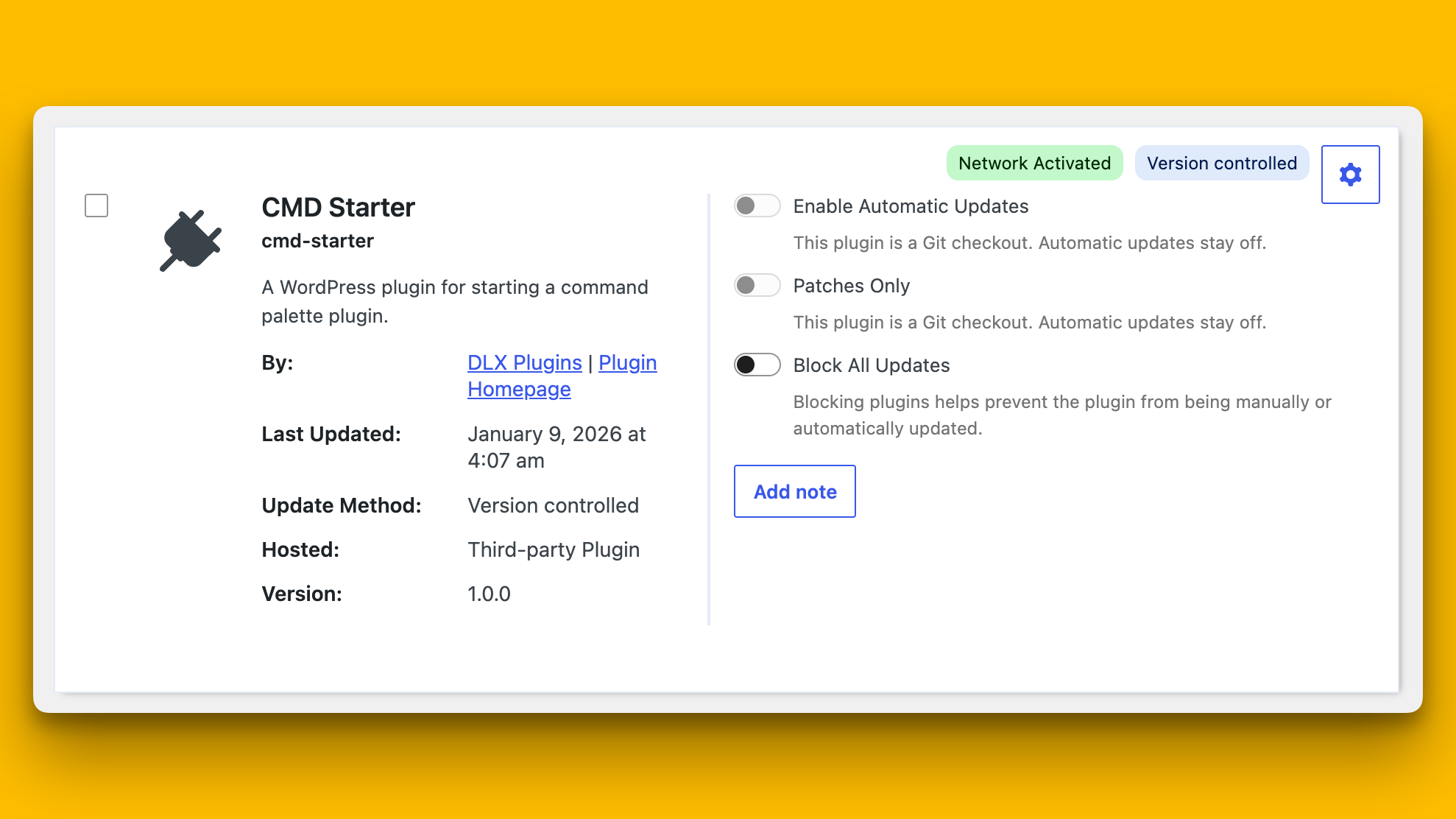
On Plugins and Themes, the row is labeled Version controlled. The update method on the details row uses the same label. The help text names the owner:
Composer manages this plugin or theme. Automatic updates stay off.
A Git checkout. Automatic updates stay off.
A Subversion checkout. Automatic updates stay off.
A Mercurial checkout. Automatic updates stay off.
A Version Controlled Plugin
What stays off
Automatic updates stay off. The automatic-update toggle is unavailable, and a bulk enable skips the package.
Patches only cannot be enabled. The Patches Only toggle is unavailable, and Enable Patches Only skips the package. See the article Patches Only.