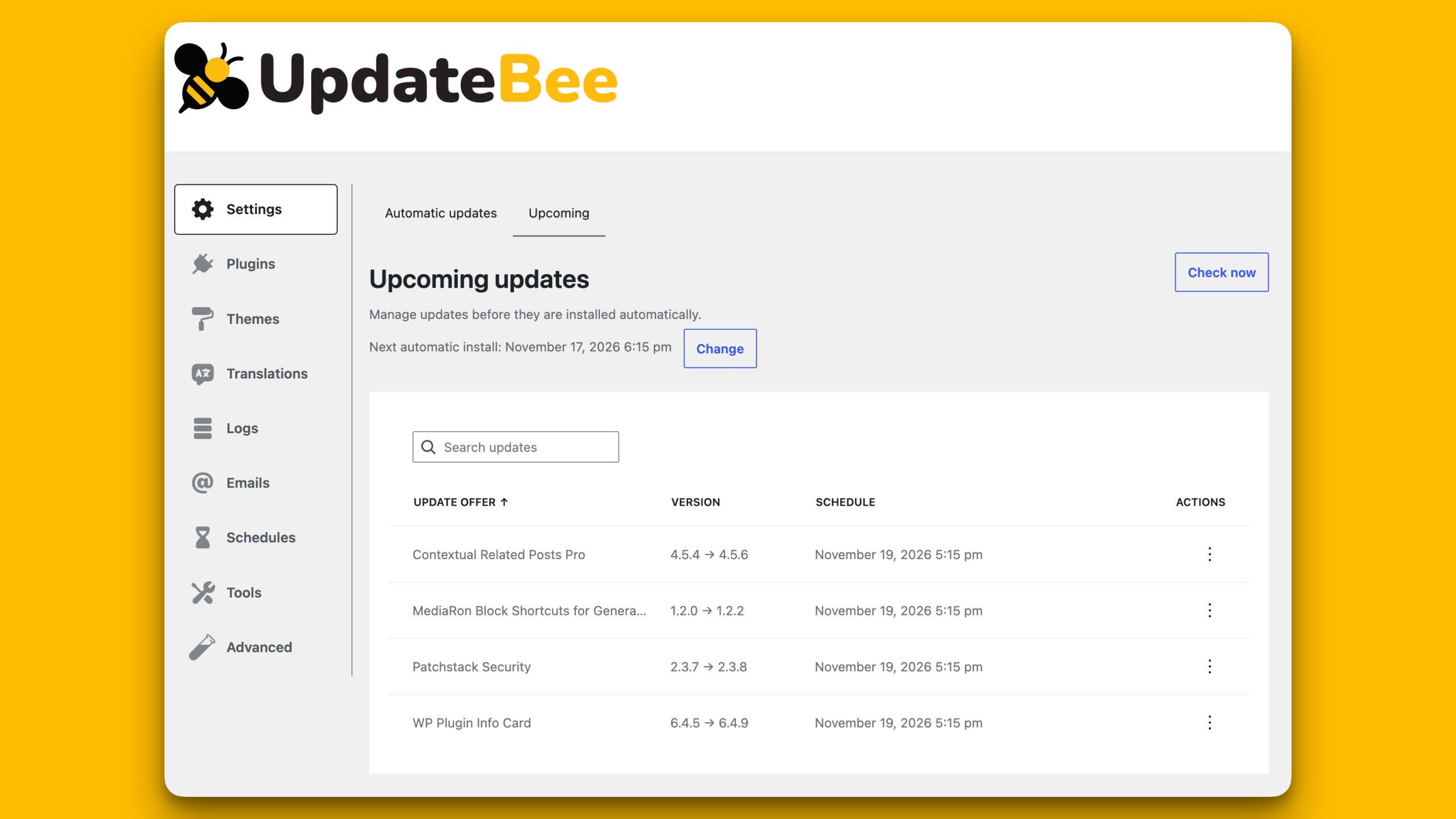
Upcoming lists plugin and theme releases that are waiting, so you can skip, block, or install one before the next automatic run. It is a subtab of Settings, labeled Upcoming. It is not its own top-level tab.
Open Tools → Automatic Updates on a single site, or Settings → Automatic Updates in the network admin. Open Settings, then Upcoming. The heading is Upcoming updates.
For convenience, Upcoming Updates is shown under the main Dashboard menu item on single and Multisite.
Upcoming Updates Screen
From the Upcoming updates screen, you can update or block an upcoming update.
Above the table, the next-run line reads Next automatic install: and a date, or Automatic installs are not scheduled.Change opens Schedules.
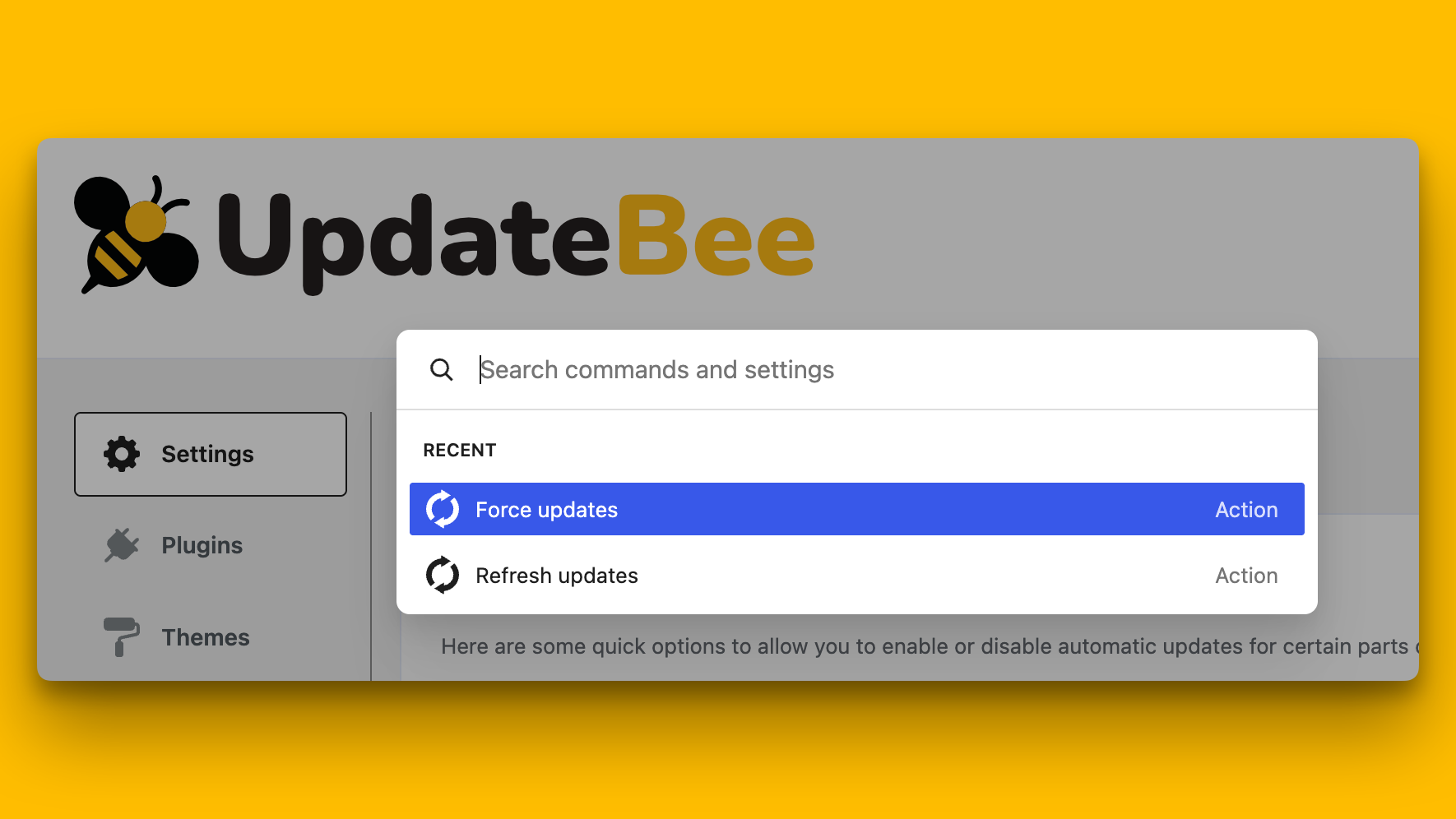
Check now clears the WordPress update cache and checks WordPress.org again, then reloads this list. The same refresh is available under Refresh Updates on Tools and Refresh updates in the command palette.
What the table shows
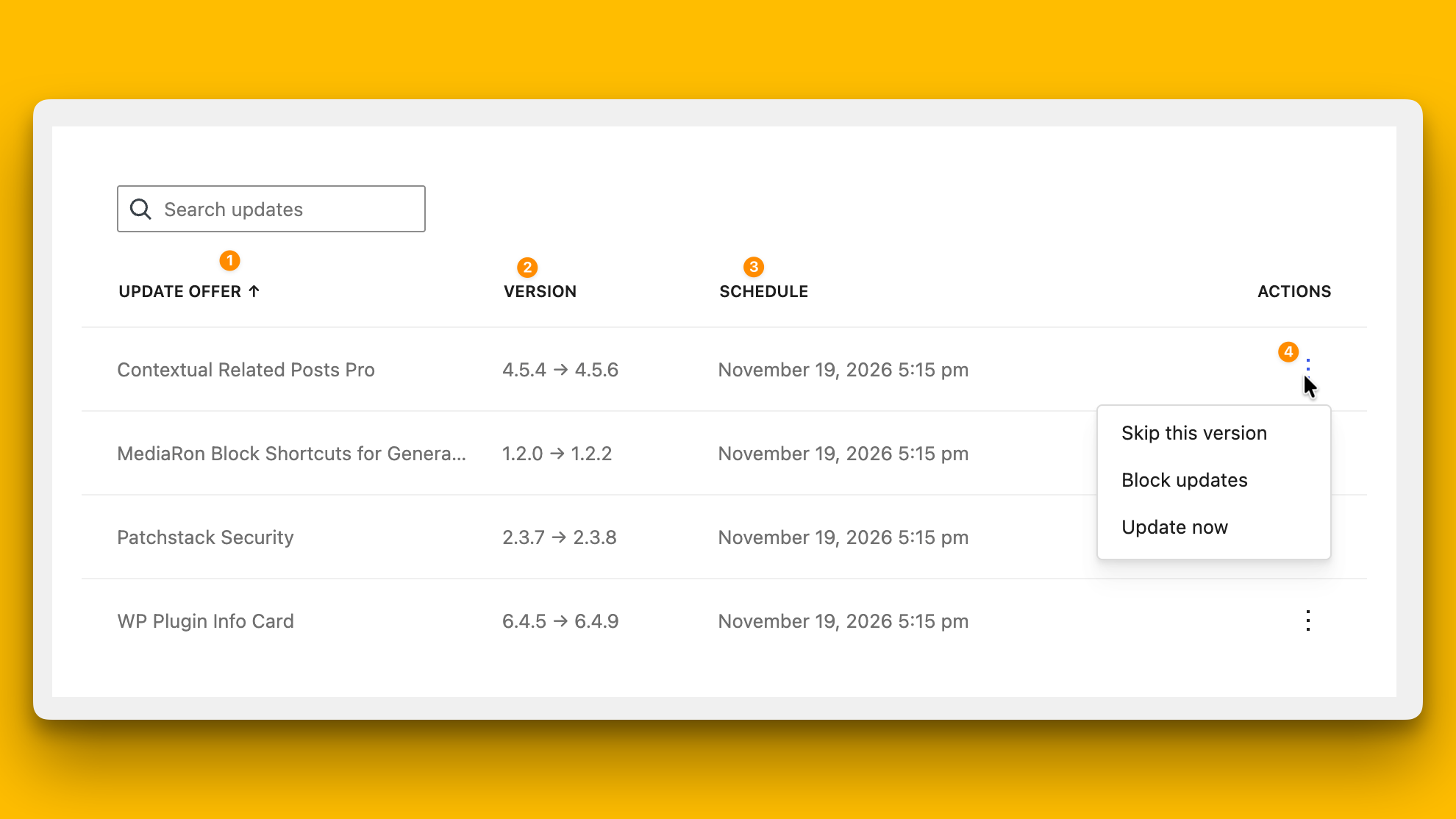
The columns are Update offer, Version, and Schedule.
Upcoming Updates Table
Update offer is the plugin or theme name.
Version shows the installed version, then an arrow, then the offered version.
Schedule shows when that automatic install is expected, or a status label.
Row Actions: Skip, block, or update the package now.
A waiting release shows the next install time in the site’s date and time format. A skipped version shows Skipped. A version-controlled package shows Version controlled. When nothing is queued, the cell can read Not scheduled.
The stored status for a row is scheduled, skipped, or blocked. Blocked plugins and themes are omitted from the list, because they cannot be installed and listing them would look like an update is available. If plugin updates or theme updates are fully disabled, that type returns no rows. See the article Blocked Updates.
Row actions
Skip this version holds the offered version. It is shown when the row is not already skipped.
Schedule update puts a skipped version back on the schedule.
Block updates blocks the item. It is hidden when that update type is fully disabled or the item is already blocked.
Unblock updates clears a block on a row that is still listed.
Update now installs that package. It is offered only when the offer has a package, the item is not blocked, that update type is not fully disabled, and the current user can install it.
Skip this version is also on the plugin and theme update panel. See the article Skip a Version.
Related Posts:
What Is UpdateBee? November 14, 2026 This brief article explains the purpose and tools that UpdateBee…
Set Up a Slack Webhook November 14, 2026 Setting up a Slack webhook will post updates to a…
UpdateBee on Multisite November 14, 2026 UpdateBee is a Multisite-first plugin, but can work well under…