Fatal error reports checks the site after automatic plugin and theme updates and can email you when a PHP fatal error is found. UpdateBee never deactivates plugins. WordPress 6.6 or later may still restore a previous plugin version on its own.
Fatal Email Notifcations Card
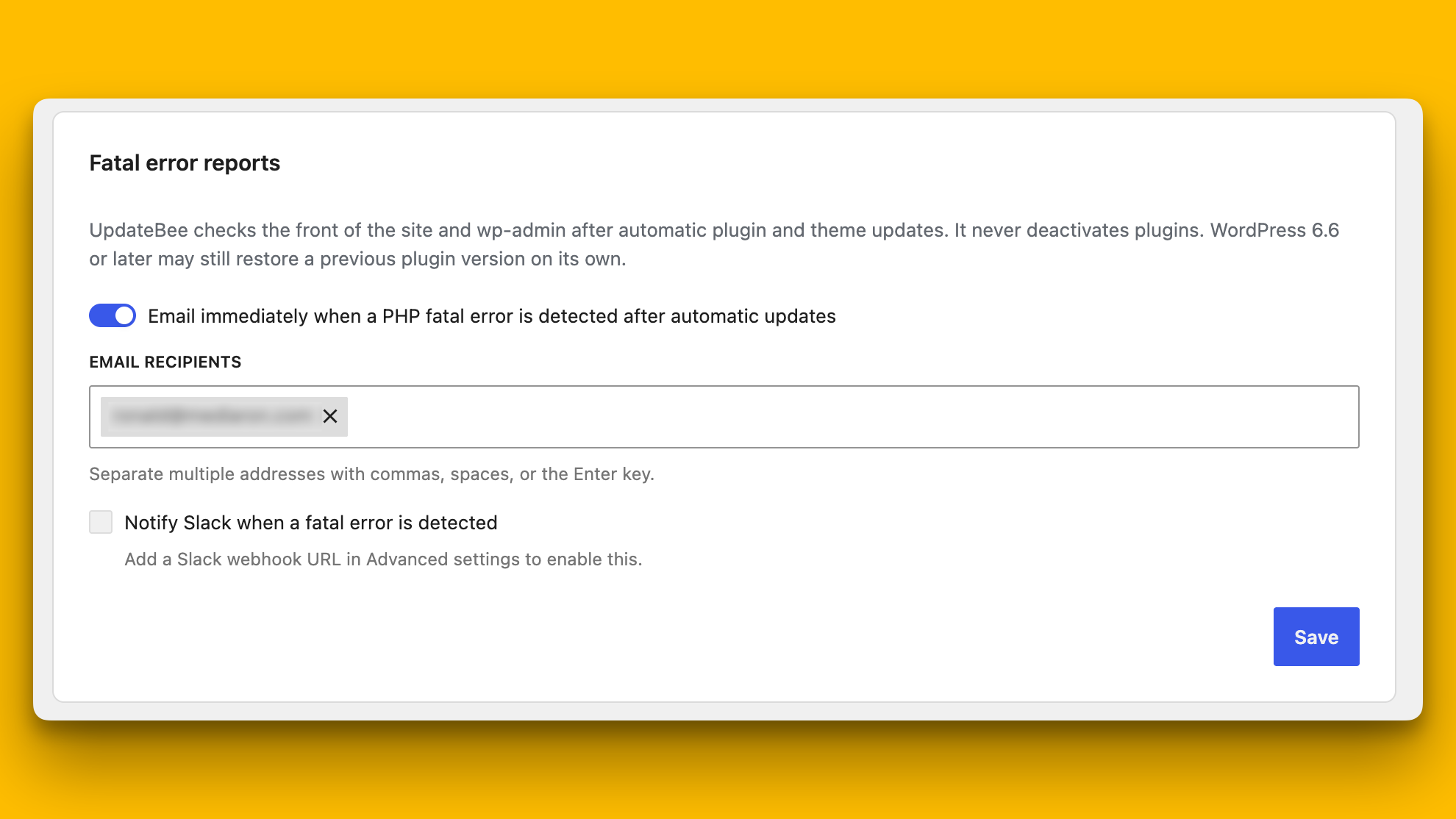
Open Emails. The card is Fatal error reports. The description says UpdateBee checks the front of the site and wp-admin after automatic plugin and theme updates, that it never deactivates plugins, and that WordPress 6.6 or later may still restore a previous plugin version on its own.
What the card saves
The toggle is Email immediately when a PHP fatal error is detected after automatic updates. A fresh install leaves detection on and the recipient list empty until you save the card.
When the toggle is on, Email Recipients is required. Separate addresses with commas, spaces, or the Enter key. Saving with the toggle on and no address asks you to enter at least one email address. If a fatal is found and the saved recipient list is empty, the email goes to the site admin address.
Notify Slack when a fatal error is detected appears while the email toggle is on. It stays disabled until a webhook is saved. The help text then says it uses the Slack webhook saved under Advanced settings. Slack setup is in the article Set Up a Slack Webhook, and the message list is in the article Slack Reports.
Select Save.
When a check runs
After an automatic update run, UpdateBee reads the updater result. It treats WordPress’s own plugin fatal-rollback results as fatal errors.
When detection is on, and the run included a plugin or theme update that did not already fail, UpdateBee requests the front of the site and then wp-admin. On a Multisite network that request uses the main site. A PHP fatal in that response is stored against the plugin or theme that was just updated when the file path matches one of them.
The email and the optional Slack alert go out when that automatic run’s log contains a fatal row, detection is on, and there is a recipient. The message says a PHP fatal error was detected after automatic updates and that UpdateBee did not deactivate any plugins. WordPress Recovery Mode may still email a login link separately.
The same event is a Fatal row on Logs. See the article Logs.
Related Posts:
UpdateBee on Multisite November 14, 2026 UpdateBee is a Multisite-first plugin, but can work well under…
Skip a Version November 14, 2026 Skip a version to keep a stable version of a…
What Is UpdateBee? November 14, 2026 This brief article explains the purpose and tools that UpdateBee…
Upcoming Updates November 14, 2026 This article details what's available under Upcoming Updates, which you…